
1. What Problem Does Provision Solve
When you don't want to manually configure token/account on gateway side, but want gateway to "Automatically acquire credentials after startup", you can use Provision.
The plugin will:
- Connect to TB's provision MQTT broker (Usually same host/port)
- Subscribe to
/provision/response - Publish
/provision/request - Wait for response and extract credentials
- Persist credentials to extension storage (Reuse next time)
2. What You Need to Prepare on ThingsBoard Side
You need to configure Device Profile in TB to get:
provision_device_keyprovision_device_secret
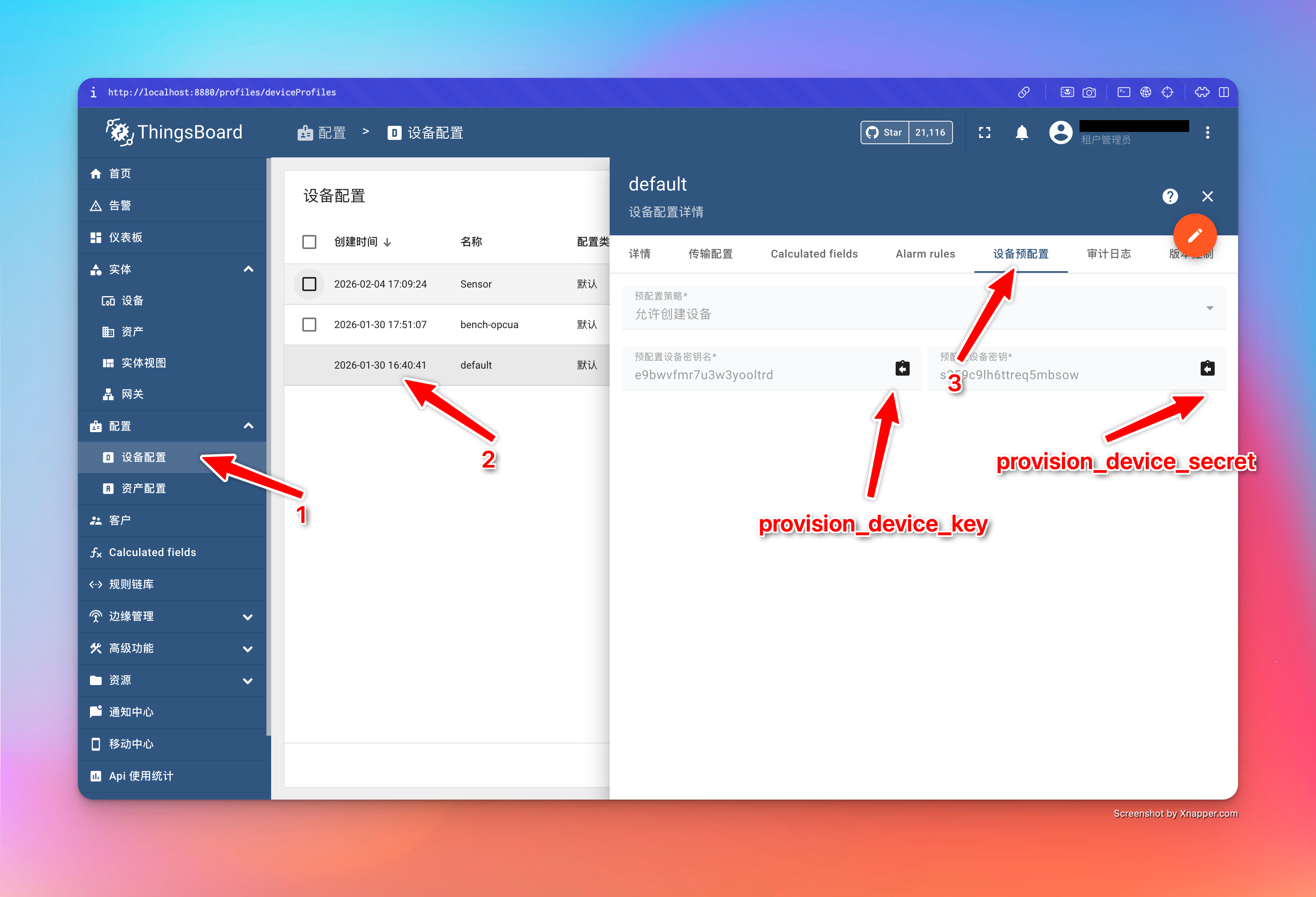
Source of device_name
In current implementation, device_name of ProvisionRequest uses App Name (app_name). Therefore suggest: Name App as the gateway name you expect to appear in TB (Stable, Operable).
3. Retry and Timeout Semantics
Provision configuration fields:
timeout_ms: Total timeout for Entire provision processmax_retries: Max retry attempts0means infinite retry (Until total timeout exhausted)1means try only once (Return immediately on failure)
retry_delay_ms: Retry interval
WARNING
Even if max_retries=0, it is constrained by timeout_ms, timeout will return Timeout.
4. Common Troubleshooting
- Always Timeout: Check if TB enabled provision, port reachable, ACL/Firewall
- NotFound/Failure: device key/secret mismatch, or device with same name already exists in TB
- Certificate Mode Failure: Confirm certificate field format returned by TB (certificate/privateKey) matches gateway parsing