
Background
In actual projects, users often need to create a large number of similarly configured:
- Devices (Device)
- Points (Point)
- Actions (Action)
If relying entirely on manual entry via UI forms, the process is time-consuming and error-prone; problems are amplified in large-scale deployments (hundreds or thousands of devices/points).
Therefore, we introduce Driver Metadata Schema:
- Use a structured Schema of "Driver Specific Configuration" to automatically map/render corresponding UI forms.
- Use the same Schema to automatically generate Excel import templates (Including dropdown enums, validation rules, hidden meta-information).
- Perform consistent validation/normalization/mapping according to Schema during import, reducing error rates and improving throughput.
Key Principle
Schema is "Description of Driver Configuration", not business logic; its goal is to let UI/Import follow driver evolution without writing or changing extra frontend code.
Data Structure
The core type of Driver Metadata Schema is ng-gateway-sdk::ui_schema::DriverSchemas, split into 4 parts by entity:
- channel: Channel-level driver configuration
- device: Device-level driver configuration
- point: Point-level driver configuration
- action: Action Parameters-level driver configuration
Each Schema is composed of Node, which has 3 forms:
- Field: A field (Input box/Switch/Enum, etc.)
- Group: A group (Used for UI folding/sorting/organization)
- Union: A "Union Type/Branch" (Use discriminator to decide which group of sub-fields to display)
Key Fields of Field
A Field mainly contains:
- path: Field path
- label: Field display name (Supports i18n)
- data_type: Type (String/Integer/Float/Boolean/Enum/Any)
- default_value: Default value (Optional)
- ui: UI hints (placeholder/help/col_span/disabled, etc.)
- rules: Validation rules (required/min/max/length/pattern, supports custom error messages)
- when: Condition (Decide show/required/disabled etc. based on other field values)
Macro Usage
ui_text! : Write localizable text in schema
- Purpose: Provide i18n values for
label/description/help/placeholder/enum itemetc. (Recommend including at leasten-US+zh-CN). - Common Syntax:
ui_text!(en = "Port", zh = "端口")ui_text!({ "en-US" => "Port", "zh-CN" => "端口" })ui_text!("Port")(When multi-language is not needed)
TIP
UI side will fallback according to current language (Current locale → base language → en-US → zh-CN → Any available).
ng_driver_factory! : Export driver factory and static metadata (DriverSchemas)
- Purpose: Export necessary C ABI symbols (version, driver_type, factory ctor, metadata JSON pointer, etc.) in the driver dynamic library for gateway to load during probe/install/runtime.
- Key Parameters:
name: Driver namedescription: Driver description (Optional)driver_type: Driver unique identifiermetadata_fn: Function returningDriverSchemas(Usuallybuild_metadata)component: Driver component type (implementsConnector/Session/Handle;Connector::newisasyncand is awaited byng_driver_factory!on the driver's ownNG_RUNTIME—see Async runtime semantics in the driver dev docs)model_convert: Model converter (ImplementSouthwardModelConverter, used for low-frequency model -> runtime structure conversion)channel_capacity: Optional; Driver internal actor queue capacity
How Schema is Used by Gateway
1) Driver Exports Schema (Released with Dynamic Library)
Each southward driver crate provides a build_metadata() -> DriverSchemas, and exports it via ng_driver_factory! macro in lib.rs:
- Driver basic info: name/description/driver_type/component/model_convert
- Static metadata (DriverSchemas): Exposed to gateway driver loader as JSON bytes via C ABI
Minimal Example:
pub use connector::EthernetIpConnector;
use converter::EthernetIpConverter;
use metadata::build_metadata;
use ng_gateway_sdk::ng_driver_factory;

ng_driver_factory!(
    name = "Ethernet/IP",
    description = "Ethernet/IP industrial protocol driver for Allen-Bradley PLCs",
    driver_type = "ethernet-ip",
    component = EthernetIpConnector,
    metadata_fn = build_metadata,
    model_convert = EthernetIpConverter
);use ng_gateway_sdk::{ui_text, DriverSchemas, Field, Node, RuleValue, Rules, UiDataType};
use serde_json::json;
/// Build static metadata once to be embedded as JSON for the gateway UI/config.
pub(super) fn build_metadata() -> DriverSchemas {
DriverSchemas {
channel: build_channel_nodes(),
device: build_device_nodes(),
point: build_point_nodes(),
action: build_action_nodes(),
}
}
/// Build channel-level configuration nodes for the Ethernet/IP driver.
fn build_channel_nodes() -> Vec<Node> {
vec?)(?:\\.(?:[A-Za-z0-9](?:[A-Za-z0-9-]{0,61}[A-Za-z0-9])?))*|(?:(?:25[0-5]|2[0-4]\\d|1\\d\\d|[1-9]?\\d)\\.){3}(?:25[0-5]|2[0-4]\\d|1\\d\\d|[1-9]?\\d))$".to_string(),
message: Some(ui_text!(
en = "Enter a valid IPv4 address or hostname",
zh = "请输入有效的 IPv4 或主机名"
)),
}),
..Default::default()
}),
default_value: None,
order: Some(1),
ui: None,
when: None,
})),
Node::Field(Box::new(Field {
path: "port".into(),
label: ui_text!(en = "Port", zh = "端口"),
data_type: UiDataType::Integer,
rules: Some(Rules {
required: Some(RuleValue::WithMessage {
value: true,
message: Some(ui_text!(
en = "Port is required",
zh = "端口是必填项"
)),
}),
min: Some(RuleValue::WithMessage {
value: 1.0,
message: Some(ui_text!(
en = "Port must be greater than 0",
zh = "端口必须大于0"
)),
}),
max: Some(RuleValue::WithMessage {
value: 65535.0,
message: Some(ui_text!(
en = "Port must be less than 65536",
zh = "端口必须小于65536"
)),
}),
..Default::default()
}),
default_value: Some(json!(44818)),
order: Some(2),
ui: None,
when: None,
})),
Node::Field(Box::new(Field {
path: "timeout".into(),
label: ui_text!(en = "Timeout (ms)", zh = "超时时间 (ms)"),
data_type: UiDataType::Integer,
rules: Some(Rules {
min: Some(RuleValue::WithMessage {
value: 100.0,
message: Some(ui_text!(
en = "Timeout must be at least 100ms",
zh = "超时时间至少为 100ms"
)),
}),
..Default::default()
}),
default_value: Some(json!(2000)),
order: Some(3),
ui: None,
when: None,
})),
Node::Field(Box::new(Field {
path: "slot".into(),
label: ui_text!(en = "Slot", zh = "插槽号"),
data_type: UiDataType::Integer,
default_value: Some(json!(0)),
order: Some(4),
ui: None,
rules: Some(Rules {
required: Some(RuleValue::WithMessage {
value: true,
message: Some(ui_text!(en = "Slot is required", zh = "插槽号是必填项")),
}),
min: Some(RuleValue::WithMessage {
value: 0.0,
message: Some(ui_text!(
en = "Slot must be non-negative",
zh = "插槽号必须是非负数"
)),
}),
max: Some(RuleValue::WithMessage {
value: 255.0,
message: Some(ui_text!(
en = "Slot must be less than 256",
zh = "插槽号必须小于256"
)),
}),
..Default::default()
}),
when: None,
})),
]
}
/// Build device-level configuration nodes for the Ethernet/IP driver.
fn build_device_nodes() -> Vec<Node> {
vec![]
}
/// Build point-level configuration nodes for the Ethernet/IP driver.
fn build_point_nodes() -> Vec<Node> {
vec![Node::Field(Box::new(Field {
path: "tagName".into(),
label: ui_text!(en = "Tag Name", zh = "标签名称"),
data_type: UiDataType::String,
default_value: None,
order: Some(1),
ui: None,
rules: Some(Rules {
required: Some(RuleValue::WithMessage {
value: true,
message: Some(ui_text!(
en = "Tag Name is required",
zh = "标签名称是必填项"
)),
}),
..Default::default()
}),
when: None,
}))]
}
/// Build action-level configuration nodes for the Ethernet/IP driver.
fn build_action_nodes() -> Vec<Node> {
// Actions typically reuse point configuration or define specific commands.
// For basic tag writing, we might just need the tag name.
vec![Node::Field(Box::new(Field {
path: "tagName".into(),
label: ui_text!(en = "Tag Name", zh = "标签名称"),
data_type: UiDataType::String,
default_value: None,
order: Some(1),
ui: None,
rules: Some(Rules {
required: Some(RuleValue::WithMessage {
value: true,
message: Some(ui_text!(
en = "Tag Name is required",
zh = "标签名称是必填项"
)),
}),
..Default::default()
}),
when: None,
}))]
}2) Extracted and Stored during Gateway Probe/Install
When gateway probes/installs driver, it will:
- Dynamically load driver library and read exported metadata JSON
- Parse into
DriverSchemas - Store schemas into database
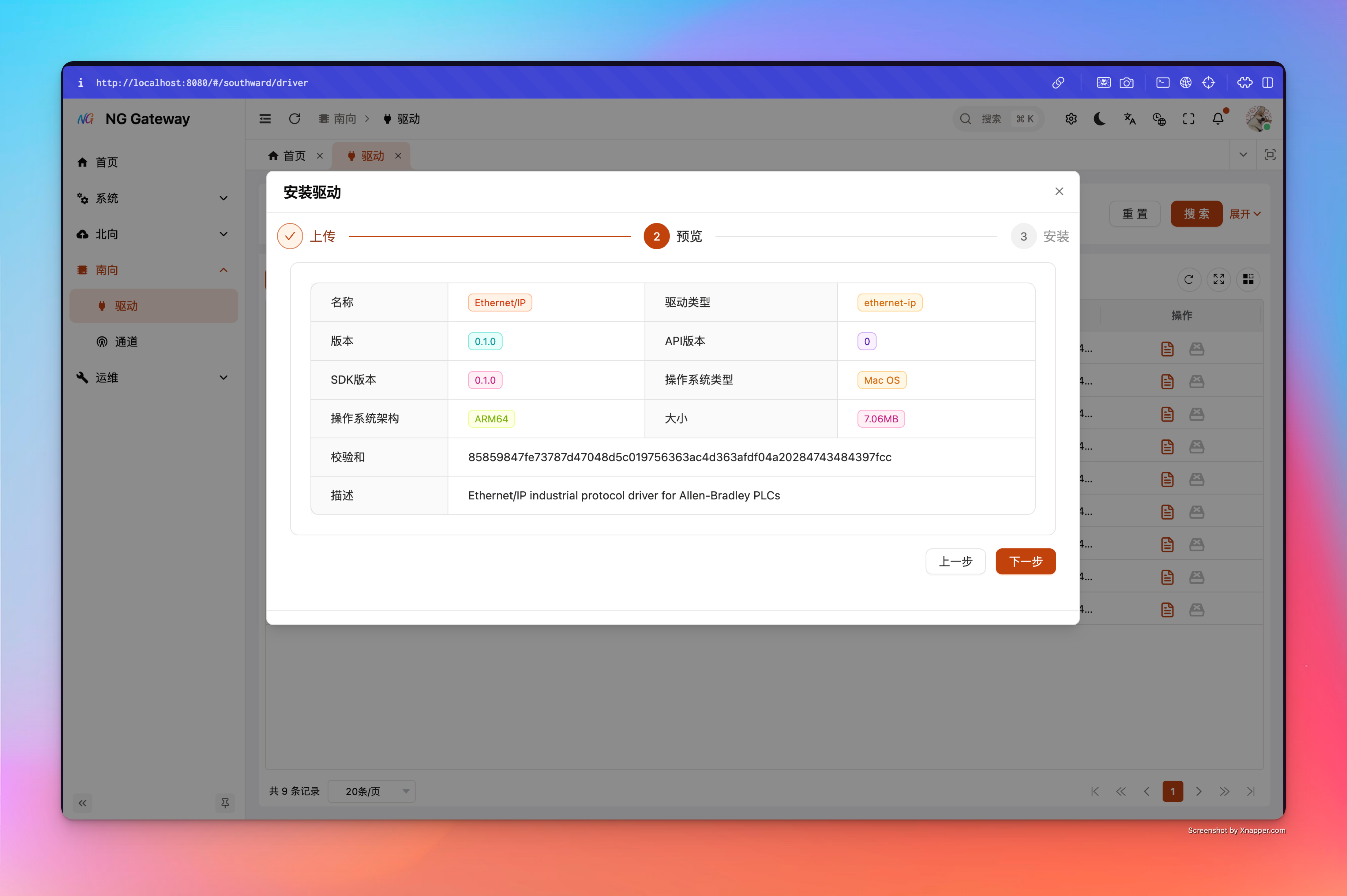
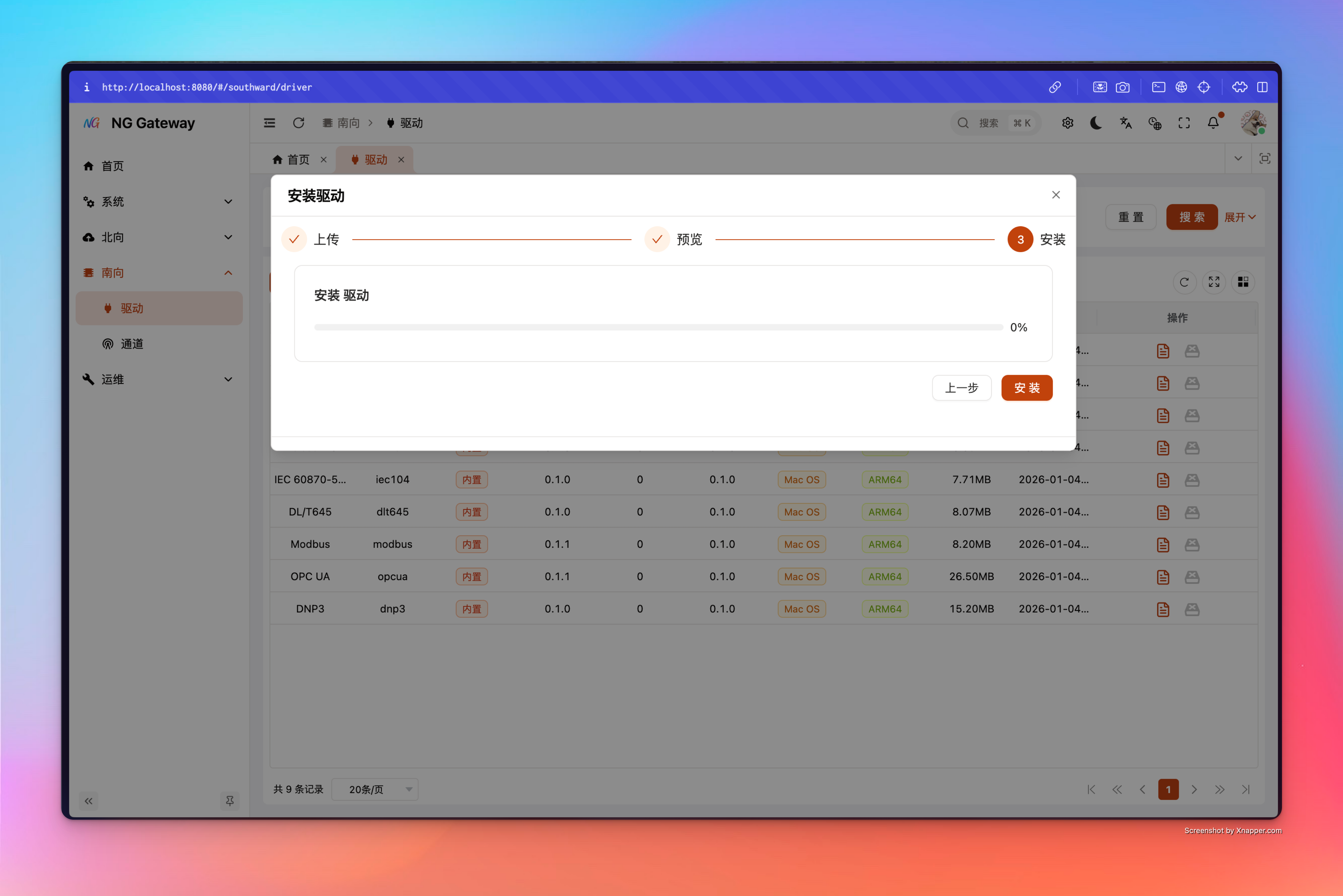
3) UI Dynamically Renders Forms
When user creates/edits in UI:
- Channel's driver_config
- Device's driver_config
- Point's driver_config
- Action's parameters and its driver_config
Frontend will pull corresponding DriverSchemas, then dynamically render form controls according to schema structure, and use rules/when/default_value for validation and interaction.
4) Excel Template Generation and Import Validation
Gateway can generate Excel template for each driver and provide Web Download Entry:
Select "Southward" -> "Driver" in the left menu to enter driver management interface
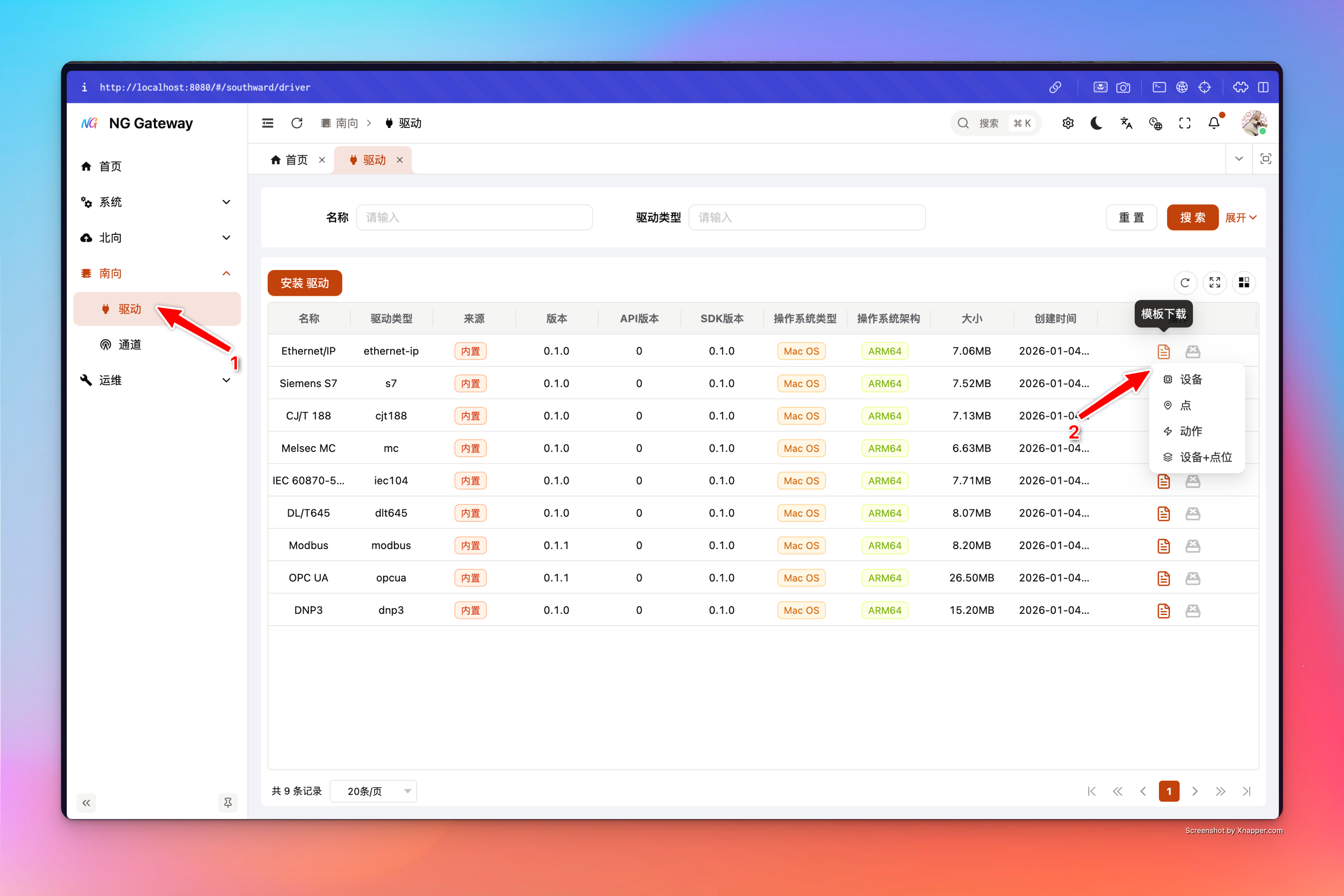
Template Features:
- First row is Localized Header (Match columns by header during import; do not change header)
- Writes hidden
__meta__sheet (Contains driver_type, entity, locale, schema_version, etc.), used for compatibility validation during import - Enum fields will generate dropdown boxes (Reduce spelling errors)
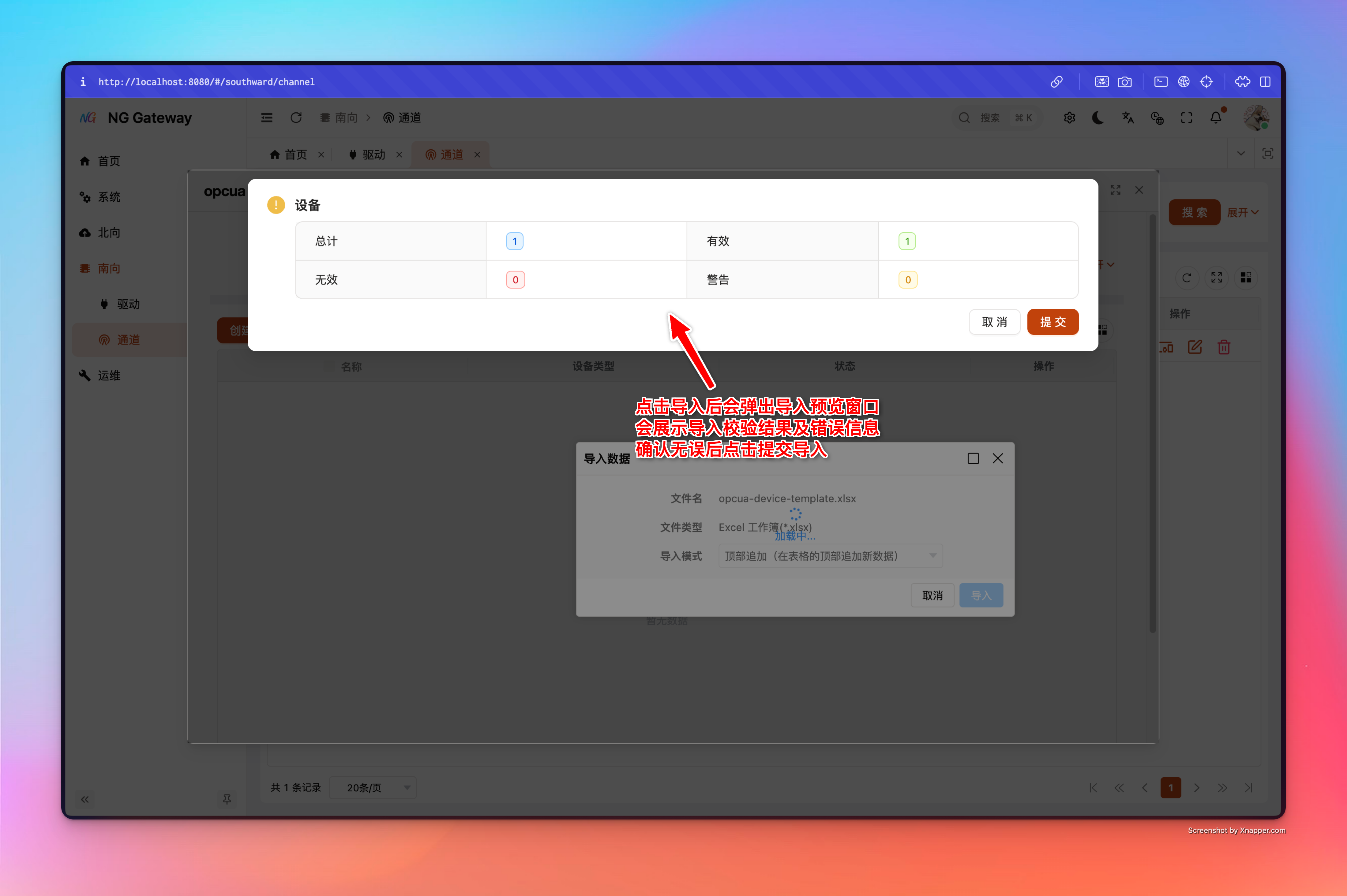
During import, backend will read __meta__ to validate if template belongs to current driver, and perform the following for each row according to schemas:
- Field required/range/format validation
- Rough validation of conditional display fields (when) and Union discriminator
- Type normalization (e.g., Enum label → Enum code)
- Map to domain model and commit
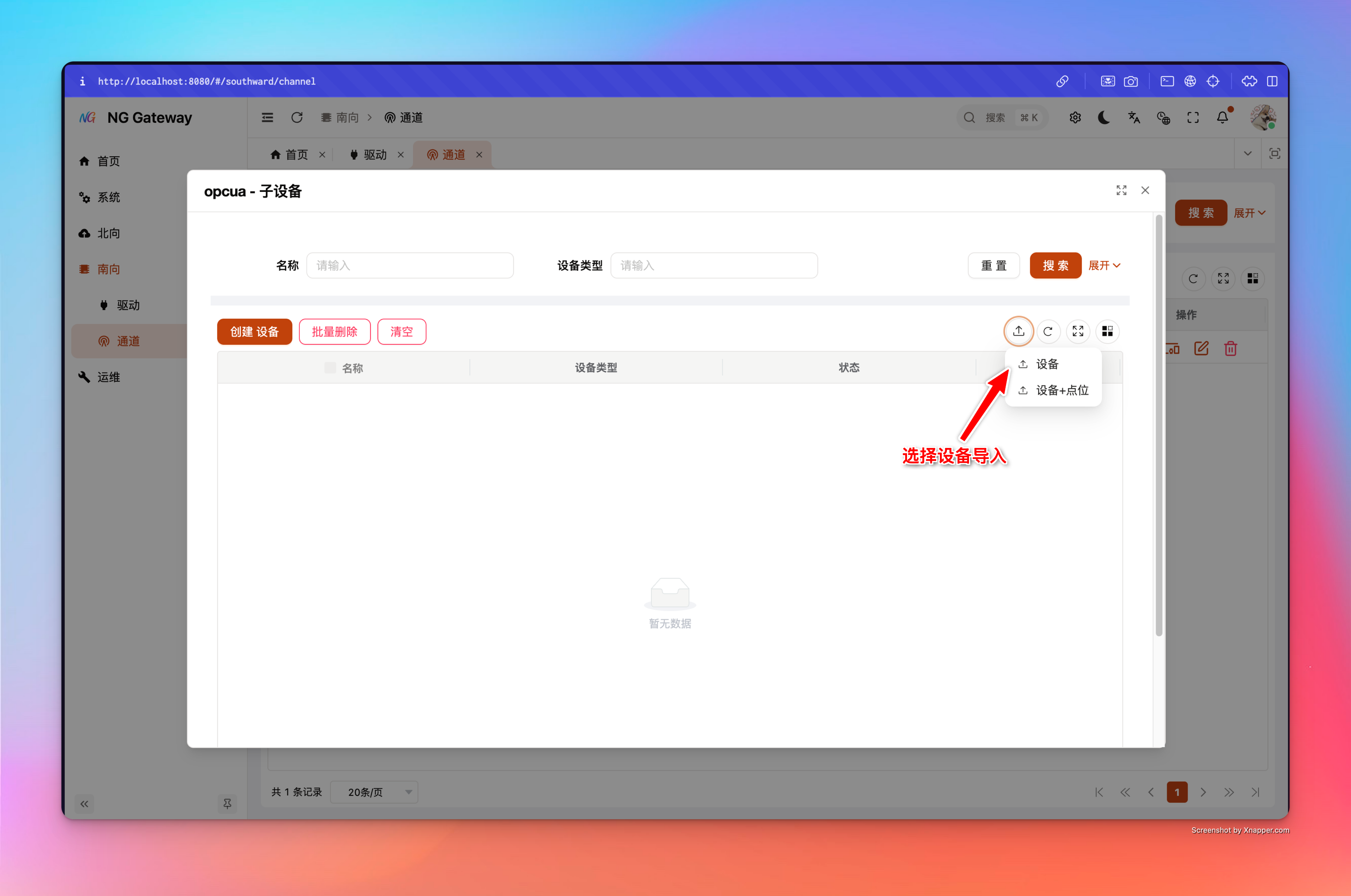
Import Entry: Select "Southward" -> "Channel" in the left menu to enter channel management interface 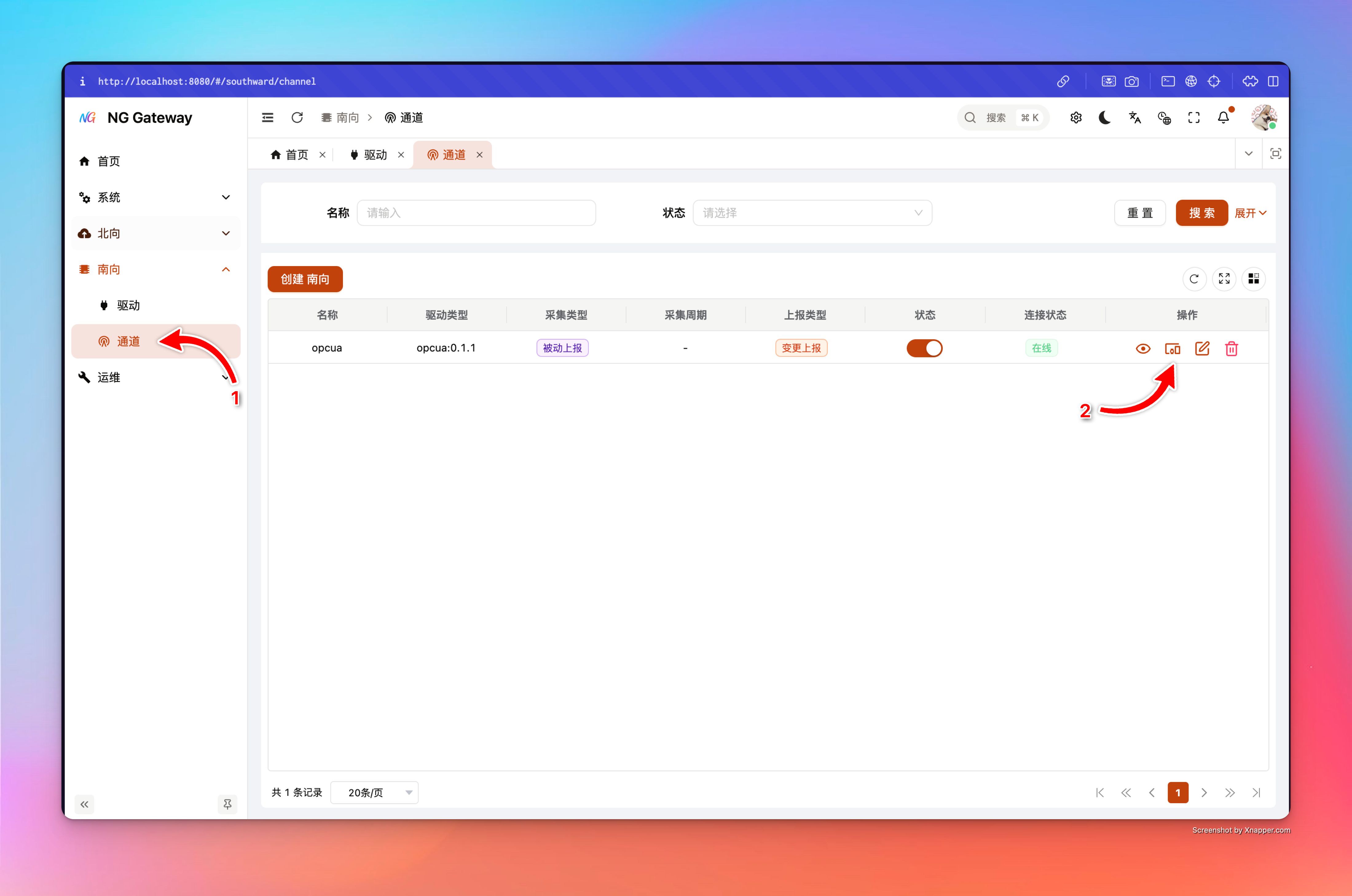
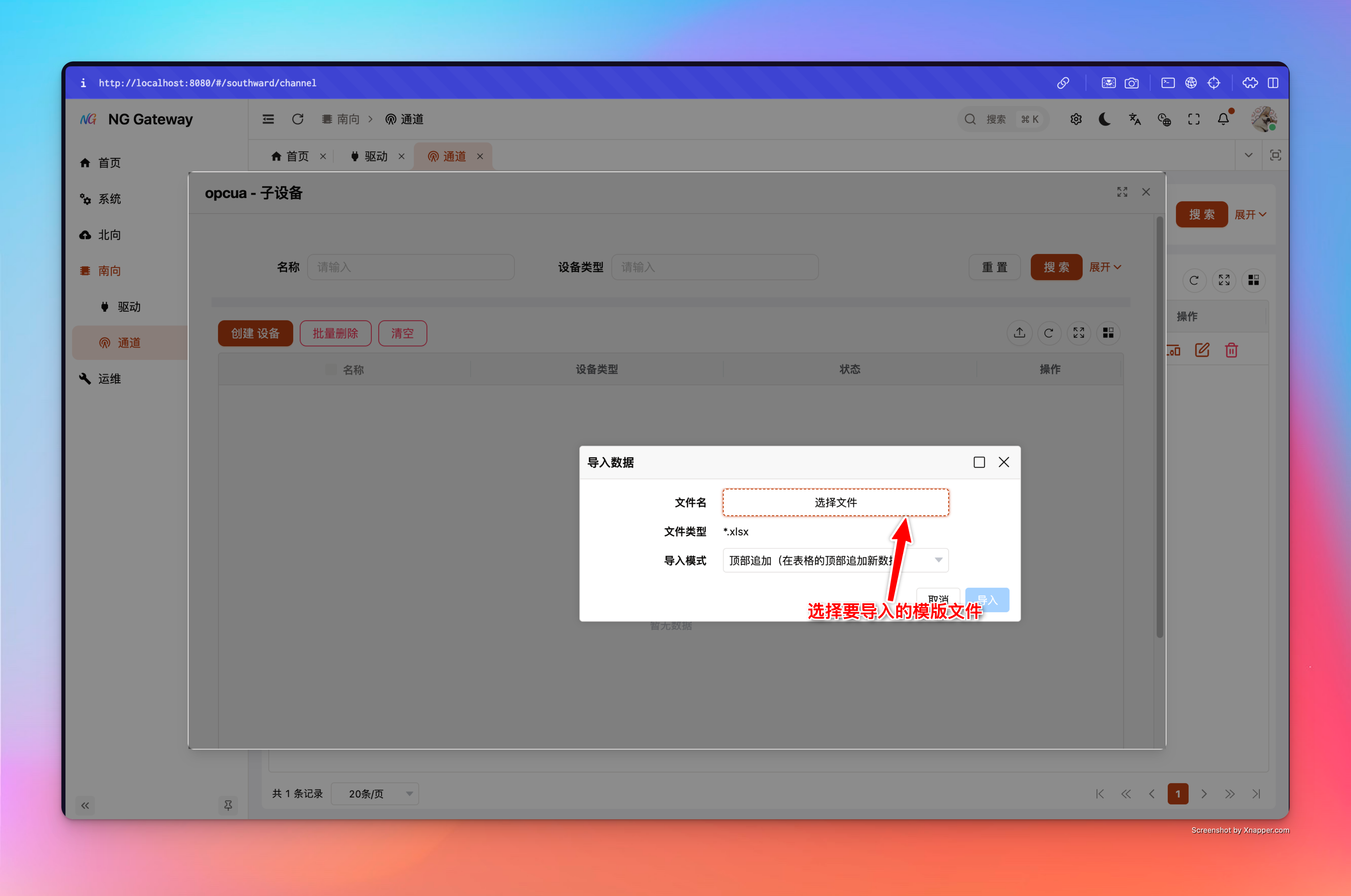
Device (Belongs to Channel)
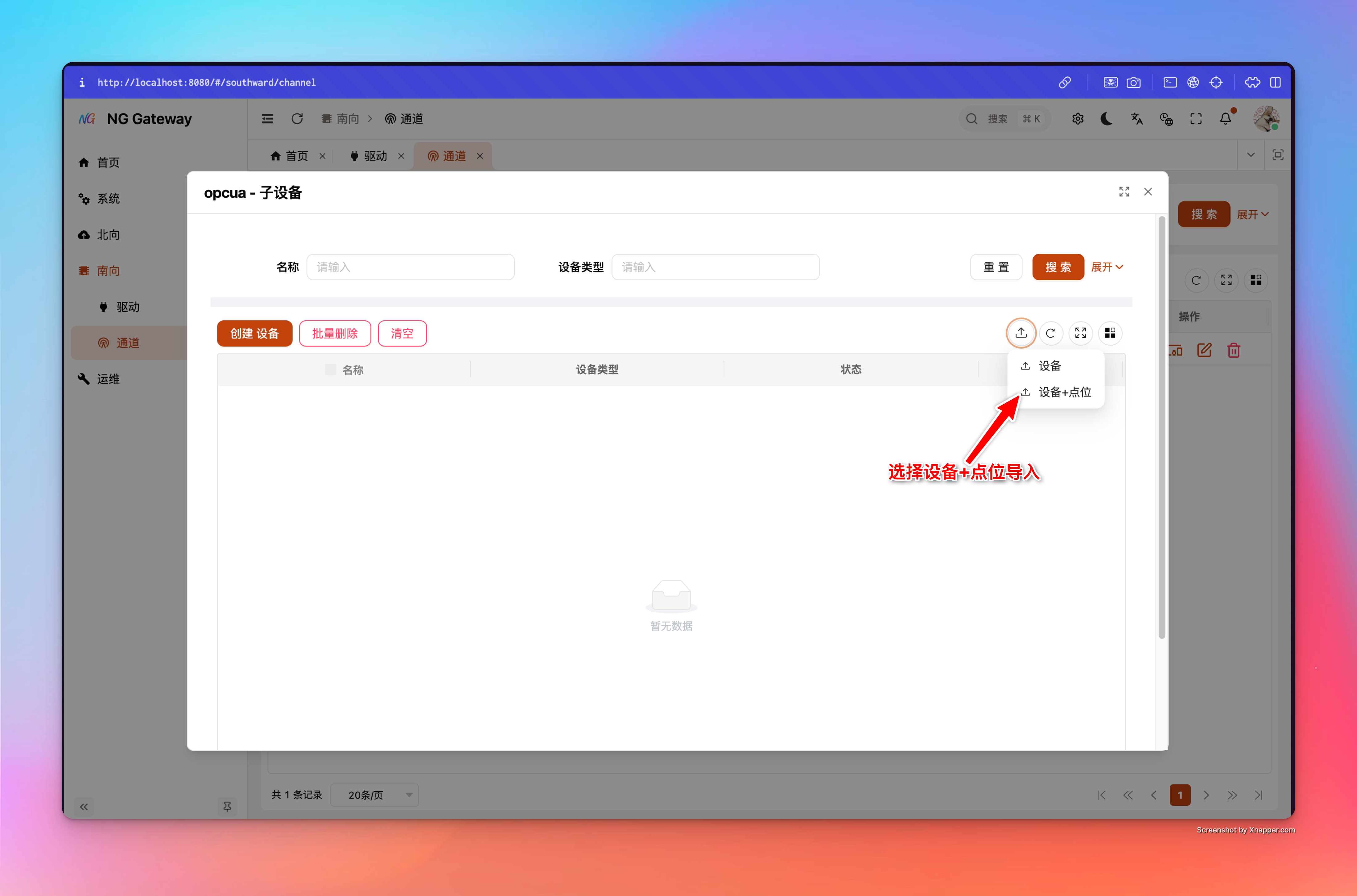
Device + Points (Belongs to Channel)
Point (Belongs to Device)
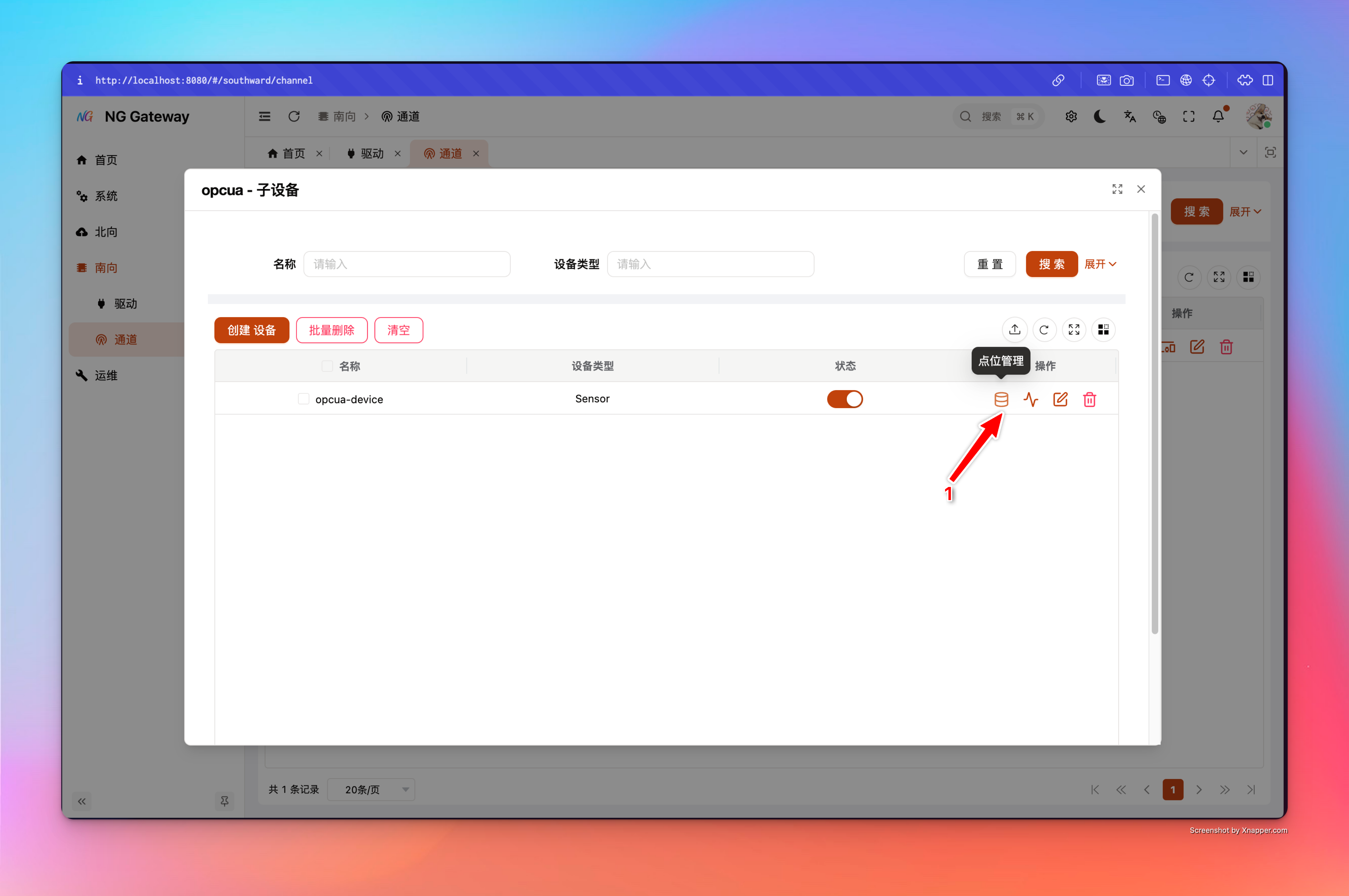
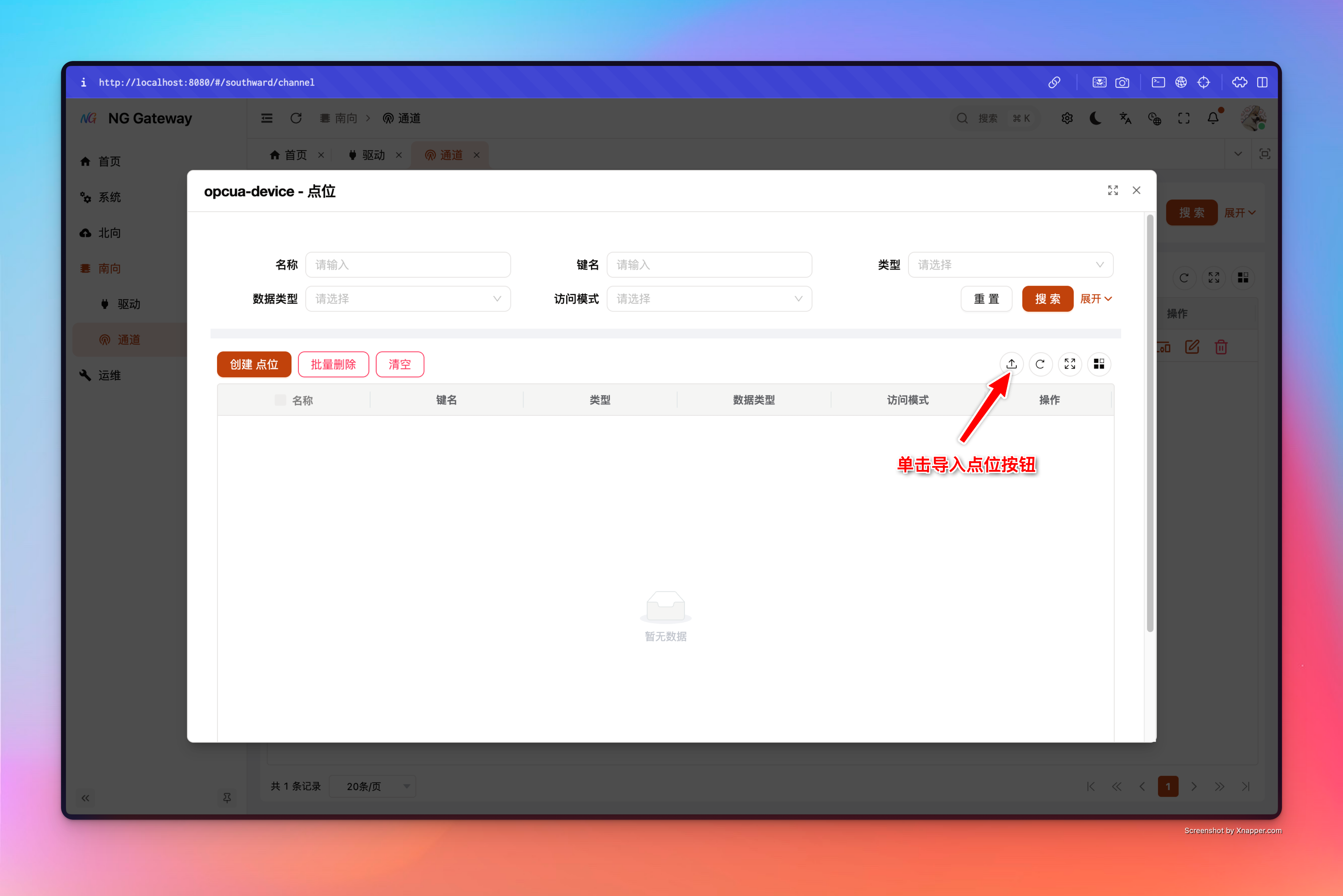
Action (Belongs to Device)
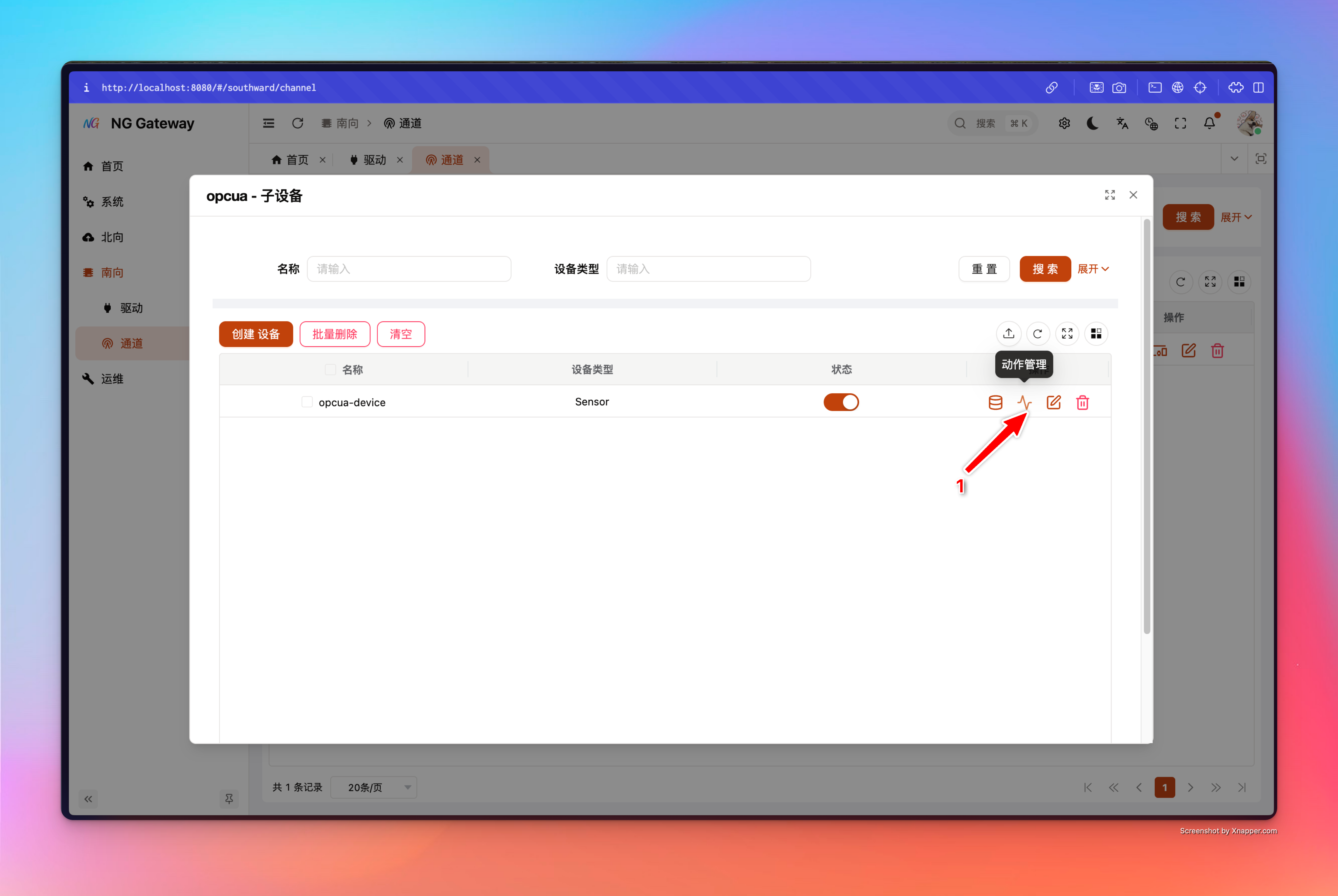
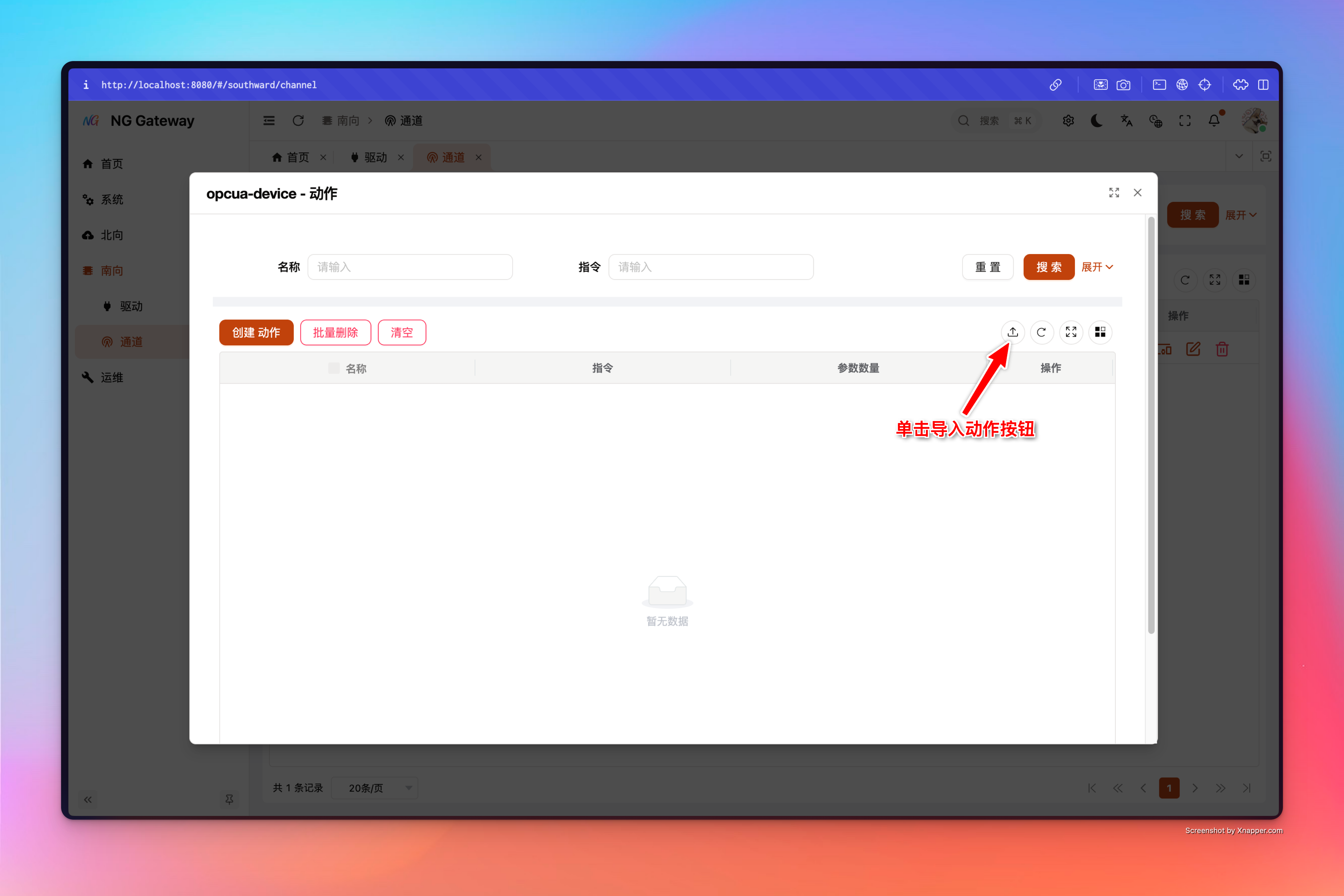
FAQ
1) Why does import always fail when I create an Excel myself?
Import strongly depends on __meta__ (driver_type/entity/locale/schema_version) in the template and header matching. Please always download template from gateway before filling.
2) Why does one action need "Multiple Rows"?
Action's Excel template is one parameter per row; system will aggregate multiple rows of parameters into one Action by (Action Name, Command) (Suitable for encapsulating multiple field write points into one "Business Action").