
Configuration Management
This page covers two key "Operable, Governable" capabilities:
- System Configuration (Runtime Tuning): Adjust running parameters of Collector/Southward/Northward without restarting process (And persist to config file)
- Logging System: Global log level, temporary log level override (per-channel/per-app, with TTL auto-rollback), log output format and disk strategy, file download and cleanup
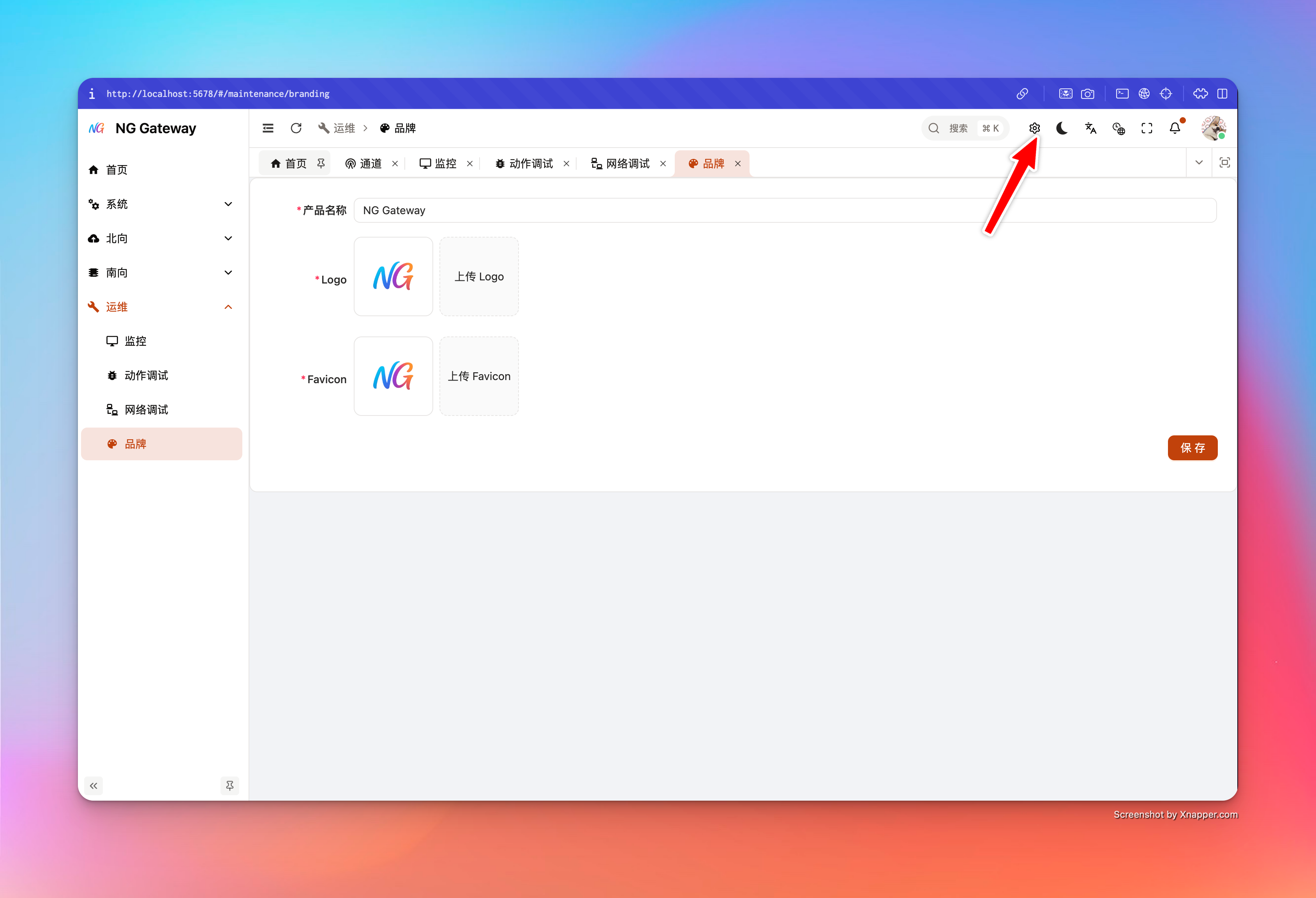
0. Important Design
Each tunable configuration item carries "Source" information:
- Default: System default value
- File: From config file (e.g.,
gateway.toml) - Env: From environment variable (e.g.,
NG__GENERAL__COLLECTOR__COLLECTION_TIMEOUT_MS)
When a field is overridden by environment variable:
- UI displays corresponding env key (
envKey), and sets field to read-only (envOverridden=true) - This is a Strong Constraint: Avoid illusion of "UI looks changed, but actual run still covered by Env"
Best Practice:
- K8s/Containerization: Use Env as "Environment Baseline", UI for "Temporary Tuning/Verification", write back to values/config after confirmation
- Bare Metal/Edge Gateway: Prioritize config file as Single Source of Truth, Env only for sensitive info or temporary override
1. System Configuration
System configuration page focuses on core parameters "Affecting Throughput/Latency/Backpressure". Each PATCH returns ApplySystemSettingsResult, explicitly telling you:
- Whether applied (applied)
- Whether persisted (persisted)
- Which keys changed (changedKeys)
- Which keys blocked by Env override (blockedByEnv)
- Runtime warning (runtimeWarning)
- Impact semantics (impact): Hot Update / Need Component Restart / Need Process Restart
Server implements concurrency protection: System settings PATCH is serialized, but won't block other APIs (Avoid UI "Freeze").
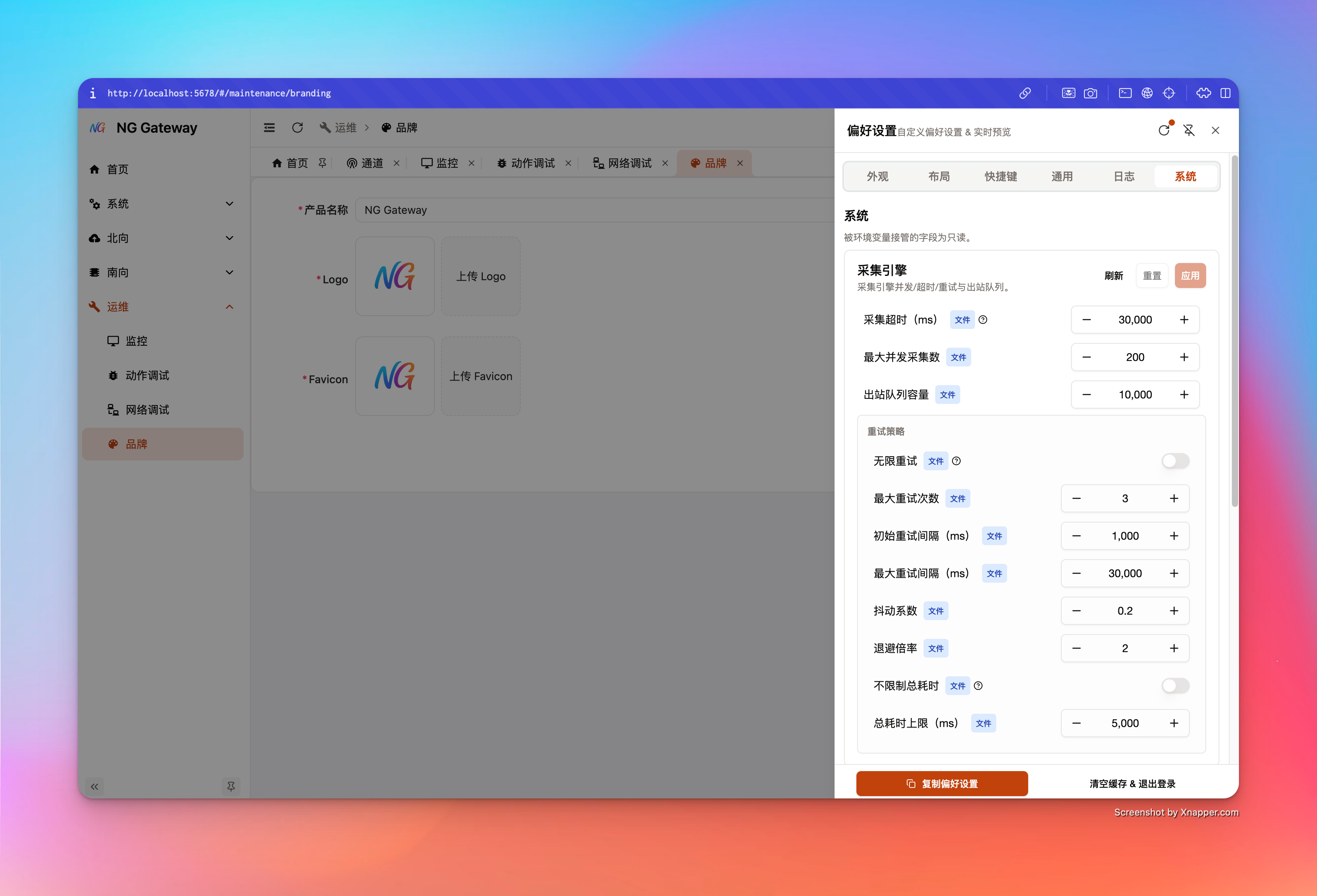
1.1 Collector (Collection Engine)
Interface:
GET /api/system/settings/collectorPATCH /api/system/settings/collector
Key Fields:
- collectionTimeoutMs: Single device collection timeout (ms)
- Too small: Easy to misjudge timeout, error rate rises
- Too large: Slow device occupies concurrency slot, dragging down overall throughput
- maxConcurrentCollections: Max concurrent collections
- Main lever to boost throughput, but increases CPU/Network/Driver concurrency pressure
- outboundQueueCapacity: Bounded queue capacity Collector → Gateway
- Too small: Easy backpressure or drops (Depends on drop policy)
- Too large: Occupy more memory, and "Backlog" masks downstream slowness
- retryPolicy: Retry and backoff policy
maxAttempts=nullmeans unlimited attempts (Use with caution)maxElapsedTimeMs=nullmeans unlimited duration (Use with caution)
Suggested Tuning Process:
- Observe Metrics first (Throughput, Queue Depth, Error Rate)
- Small step adjustment and observe 5~15 minutes
- If
runtimeWarningappears, judge whether to restart related components per hint
1.2 Southward (Southward Runtime)
Interface:
GET /api/system/settings/southwardPATCH /api/system/settings/southward
Key Fields (High Impact Items):
- startTimeoutMs: API sync start wait timeout (Driver connection wait)
- deviceChangeCacheTtlMs: Point change baseline cache TTL (
0means no eviction)- TTL too short: Easier to trigger "Change Judgment" jitter
- TTL too long/No eviction: More memory usage, and change baseline may be too old
- snapshotGcIntervalMs / snapshotGcWorkers / maxDevicesPerSnapshotTick
- Control snapshot GC scan rhythm and concurrency
- Too aggressive increases CPU; too conservative leads to untimely memory reclamation
1.3 Northward (Northward Runtime)
Interface:
GET /api/system/settings/northwardPATCH /api/system/settings/northward
Key Fields:
- queueCapacity: Northward internal queue capacity
- Directly affects northward backpressure and buffering capability
- startTimeoutMs: API sync start wait timeout (App start wait)
2. Logging System
Logging system suggests understanding from "Governance Perspective", not "Turn level to DEBUG until visible".
Three layers of capability here:
- (A) Global Baseline Log Level: Long-term effective (baseline)
- (B) Temporary Override (TTL override): Temporarily raise or lower per Channel/App, auto rollback
- (C) Output and File Governance: Format, Disk write, Rotation, Retention, Cleanup, Download
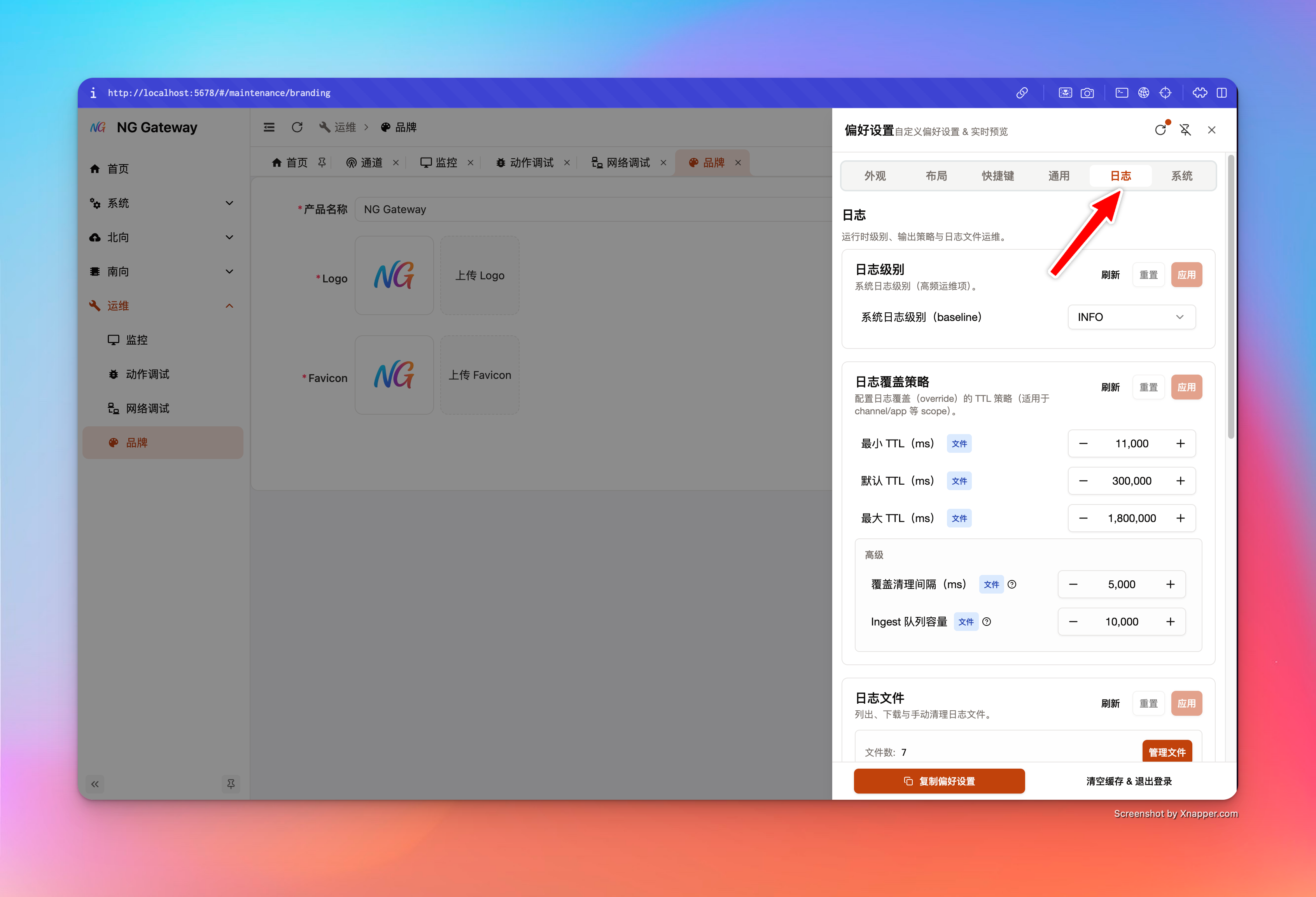
2.1 Global Log Level (baseline)
Interface:
GET /api/system/settings/logging_runtimePATCH /api/system/settings/logging_runtime
Key Fields:
- baseline: Global baseline level you set (UI editable)
- effective: Current effective global level (May differ from baseline)
- UI prompts difference when other temporary mechanisms or external controls cause global effective difference
Suggestion:
- Production default
INFO(OrWARN, depending on troubleshooting needs) TRACEonly for short-time diagnosis (With TTL, avoid log storm)
2.2 Temporary Override: per-channel / per-app Log Level (TTL)
This is a Product-level capability: You can temporarily set "A Channel" or "A Northward App" to DEBUG/TRACE for troubleshooting, system auto rolls back after TTL expires, avoiding performance and disk cost of "Permanent DEBUG".
per-channel (Channel Log Level)
Interface (Channel Module):
GET /api/channel/{id}/log-levelPUT /api/channel/{id}/log-level(body:{ level, ttlMs })DELETE /api/channel/{id}/log-level
UI Entry:
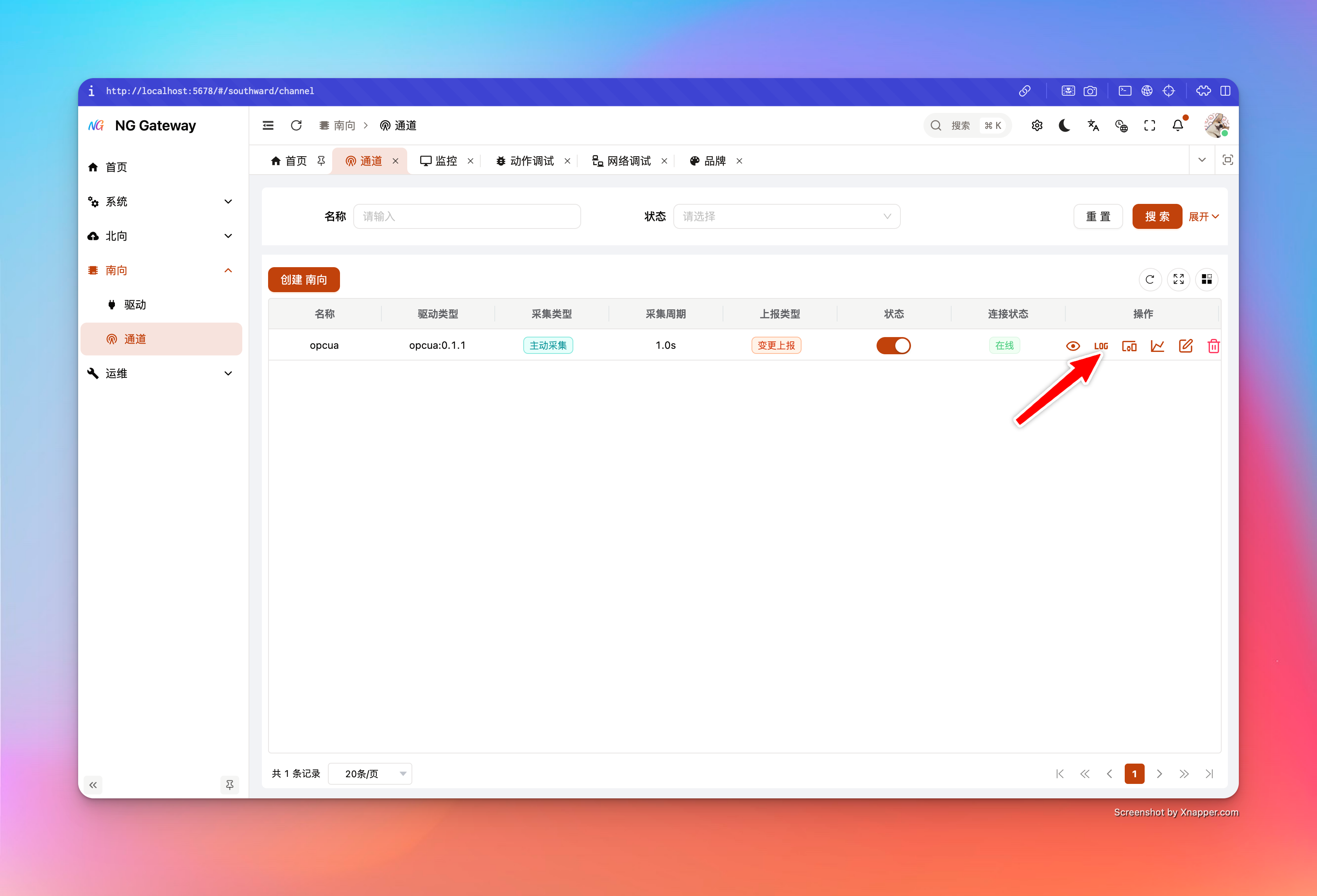
- Southward → Channel List → Right Operation Column "Log Level" (
mdi:math-logicon) - Popup sets level and TTL, displays countdown progress bar; auto refreshes to "No Override" state upon expiration
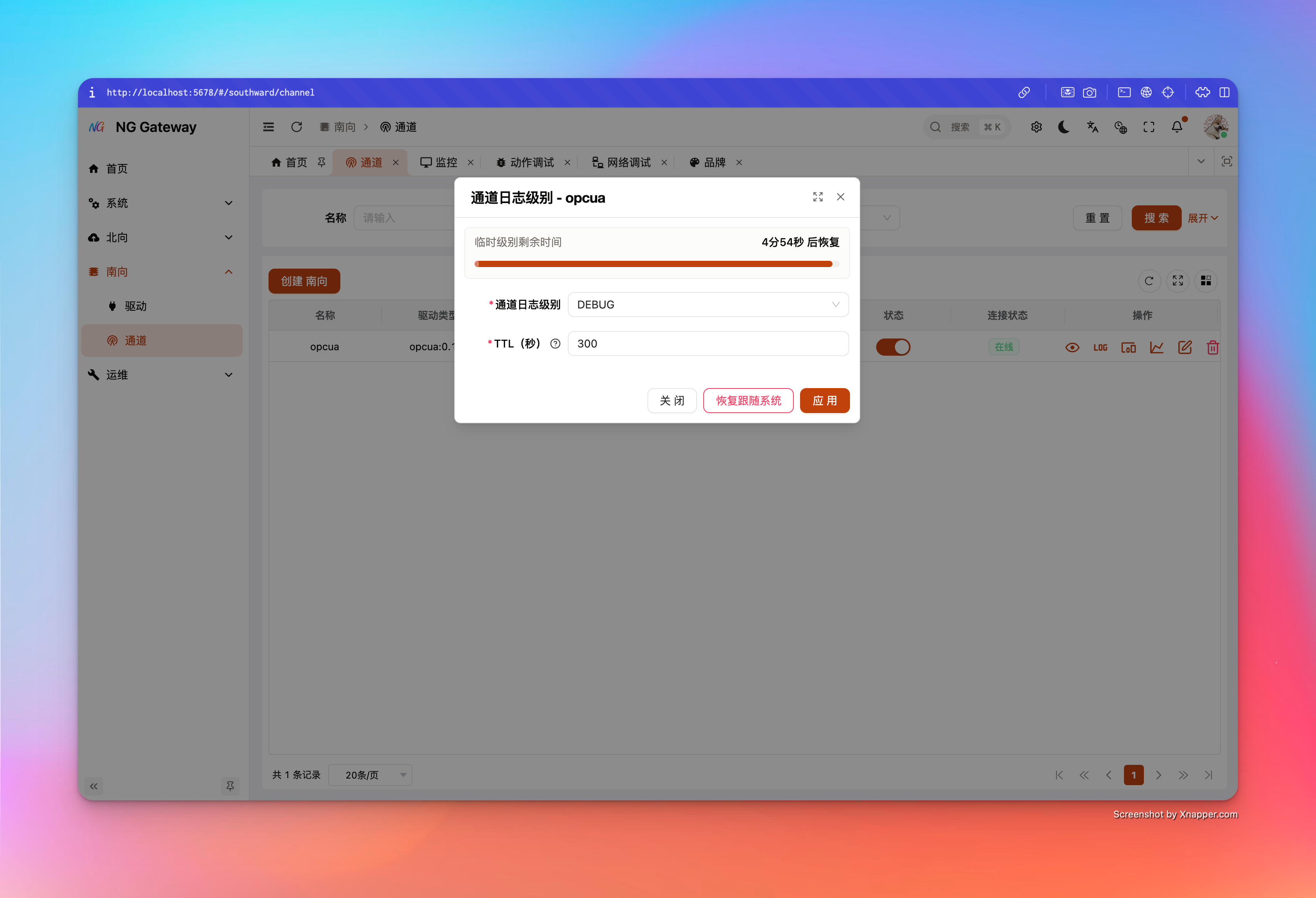
Semantic Key Points:
- TTL has Unified Guardrails:
minMs / maxMs / defaultMs, used to avoid abuse - Setting override replaces old override of same scope (Deterministic behavior)
- Auto invalidates and restores "Follow System" after countdown to 0
per-app (Northward App Log Level)
Interface (Northward App Module):
GET /api/northward-app/{id}/log-levelPUT /api/northward-app/{id}/log-levelDELETE /api/northward-app/{id}/log-level
UI Entry:
- Northward → App List → Right Operation Column "Log Level" (
mdi:math-logicon) - Interaction consistent with Channel: level + TTL + countdown, auto rollback upon expiration
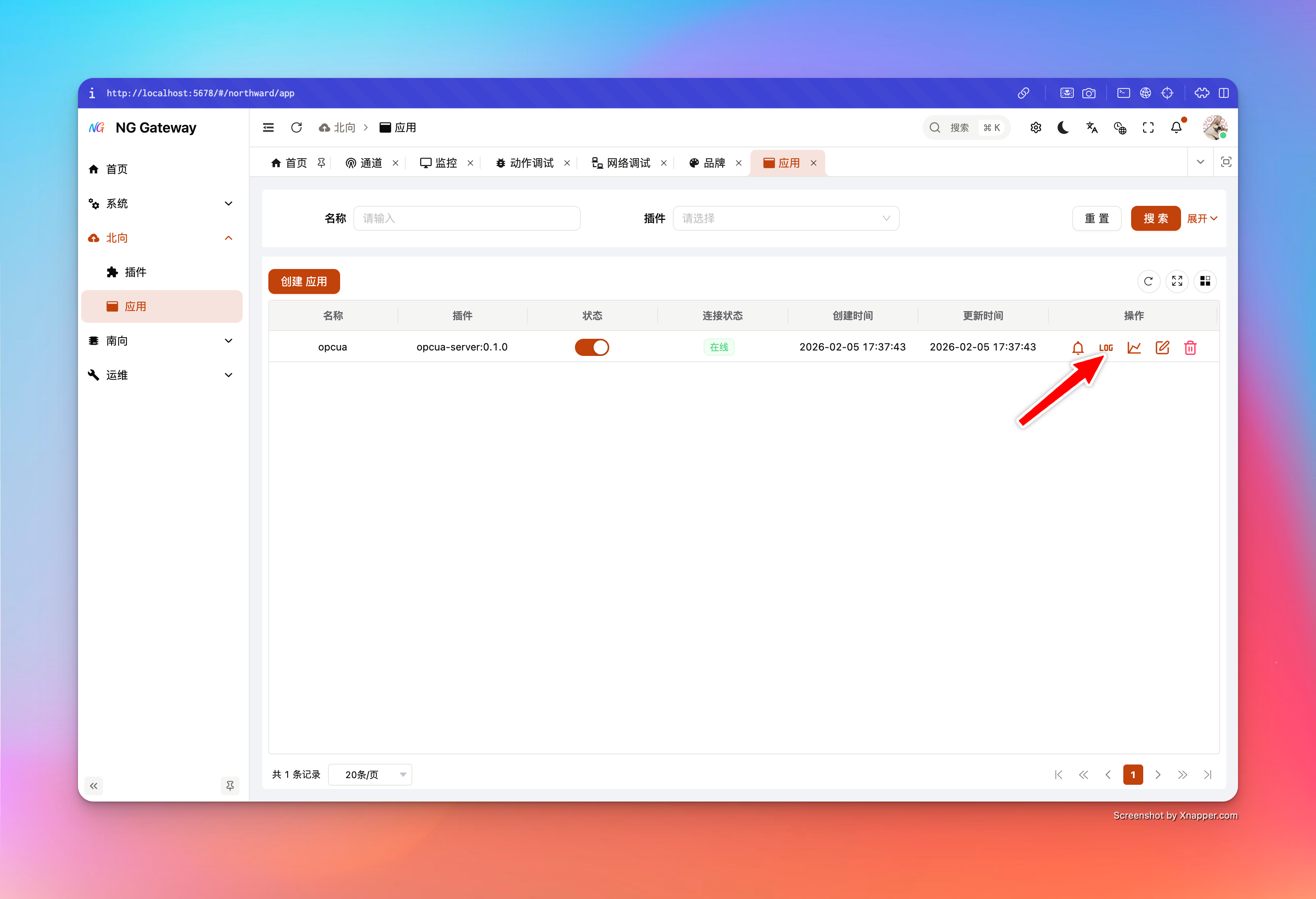
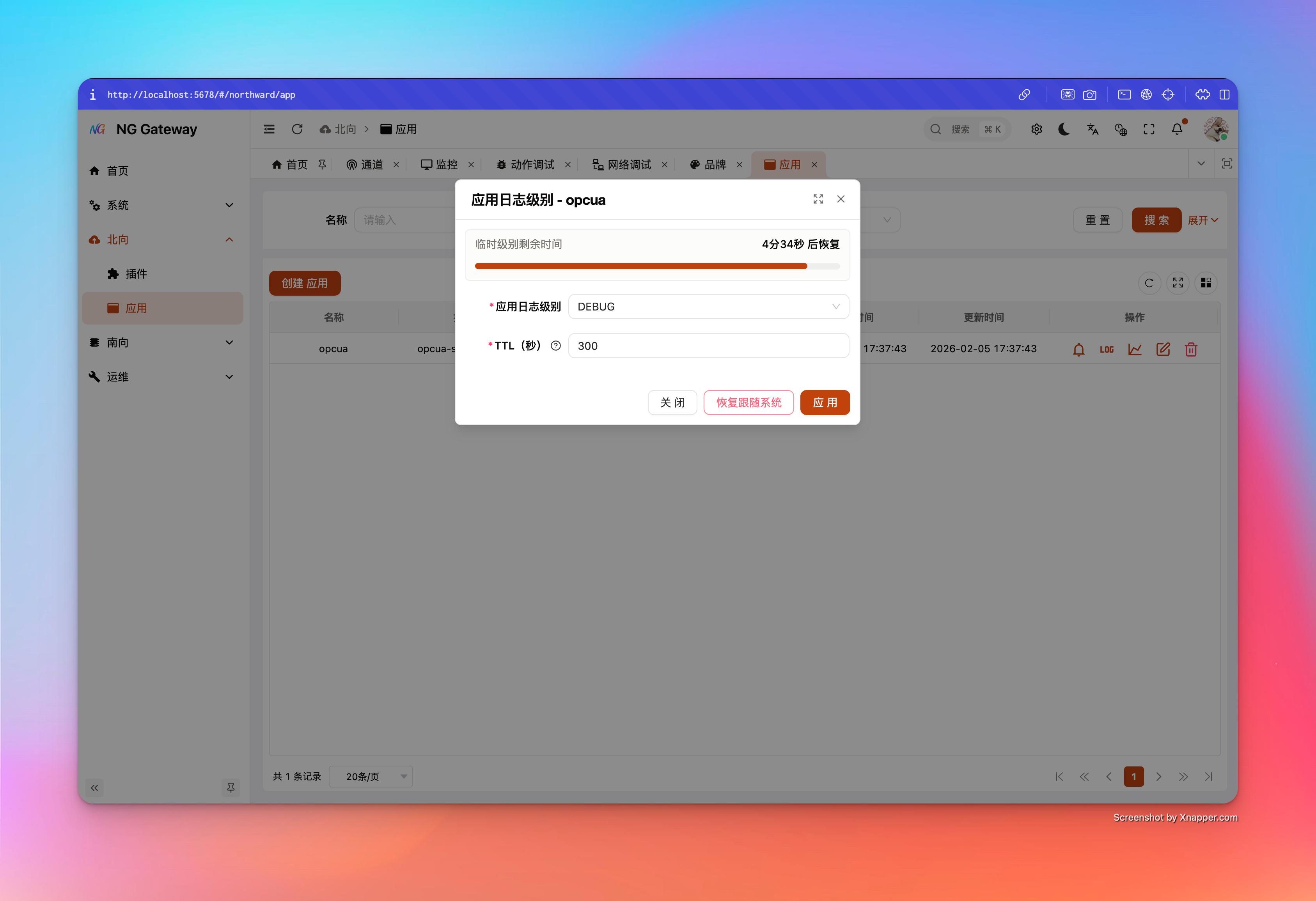
Best Practice: How to Troubleshoot with TTL override
- Target One Only: Prioritize tuning only one channel or one app, avoid log explosion
- Short then Long: Default 5 minutes is enough; extend if necessary
- Restore Immediately After Debug: Do not wait for TTL end (Especially TRACE)
2.3 TTL Guardrails and Ingest Queue (Logging Control)
Interface:
GET /api/system/settings/logging_controlPATCH /api/system/settings/logging_control
Key Fields:
- overrideMinTtlMs / overrideDefaultTtlMs / overrideMaxTtlMs
- Acts on all override scopes (Channel/App/Future extensions)
- overrideCleanupIntervalMs
- Override expiration scan interval (Suggest not too small, avoid extra overhead; server lower limit 200ms)
- ingestQueueCapacity
- Unified
cdylib -> hostlog ingest bounded queue capacity (driver + plugin) - Too small: Easier to appear "New logs can't enter/Drop occurs" during peak
- Too large: Occupy more memory, and amplifies log flood caching
- Unified
2.4 Output and Disk (Logging Output)
Interface:
GET /api/system/settings/logging_outputPATCH /api/system/settings/logging_output
Configurable Items:
- format:
textorjson - includeSpanFields: Whether to include span context fields in log (Facilitate troubleshooting)
- file.enabled / file.dir: Whether to write to disk, log directory
- rotation.mode:
time/size/both - rotation.time:
hourly/daily - rotation.sizeMb / rotation.maxFiles
- retention.maxDays / retention.maxTotalSizeMb
Best Practice Suggestion:
- Production recommend enabling disk write, and setting reasonable Rotation + Retention, avoid disk full
- JSON format suitable for log collection system (ELK/ClickHouse etc.); TEXT more suitable for direct tail
2.5 Cleanup and Download (Logging Files & Cleanup)
Interface:
GET /api/system/settings/logging_files: List log filesPOST /api/system/settings/logging_files/download: Package download (ZIP stream output)POST /api/system/settings/logging_files/cleanup: Cleanup by policy (Support dryRun)GET/PATCH /api/system/settings/logging_cleanup: Cleanup task switch and cycle
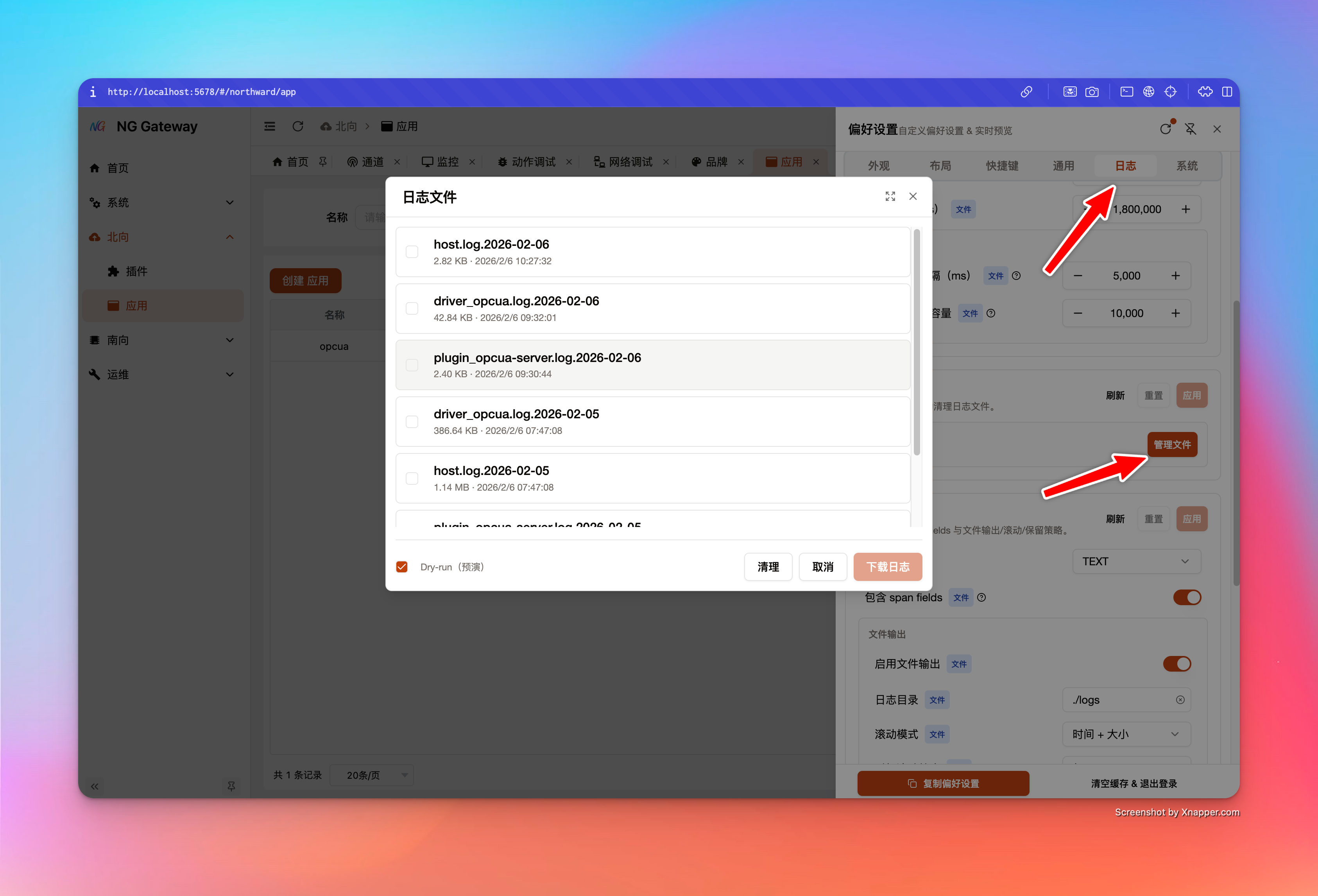
Product-level Security Points (You can write into SOP):
- Download interface performs security validation on filename, avoiding path traversal
- Package download uses stream output, prioritizing reduction of large file memory usage
- Cleanup supports dryRun: See "What will be deleted, how much released" first, then delete for real
3. Recommended SOP
- Open
Data Monitor, confirm if device value changing, last update time advancing - If network issue suspected, use
Net Debugfirst:- TCP Port Connectivity → Ping/HTTP
- If need to dive into driver/plugin link:
- Set log level override for target Channel or App (DEBUG, TTL=5min)
- Reproduce issue within 5 minute window
- Download log package and rollback override (Or wait for TTL auto rollback)