
When you need to create a large number of the following in an IEC104 scenario at once:
- Points (Point)
- Actions (Action)
- Device + Points (Device + Points)
You can use the Excel Import Template provided by the gateway to complete bulk modeling in two steps: "Preview → Commit".
Note
Please always download the template from the gateway before filling. Do not modify the header, and do not delete the hidden __meta__ sheet, otherwise the import will fail.
Prerequisites
- An IEC104 channel has been created.
1) Bulk Device + Point Import
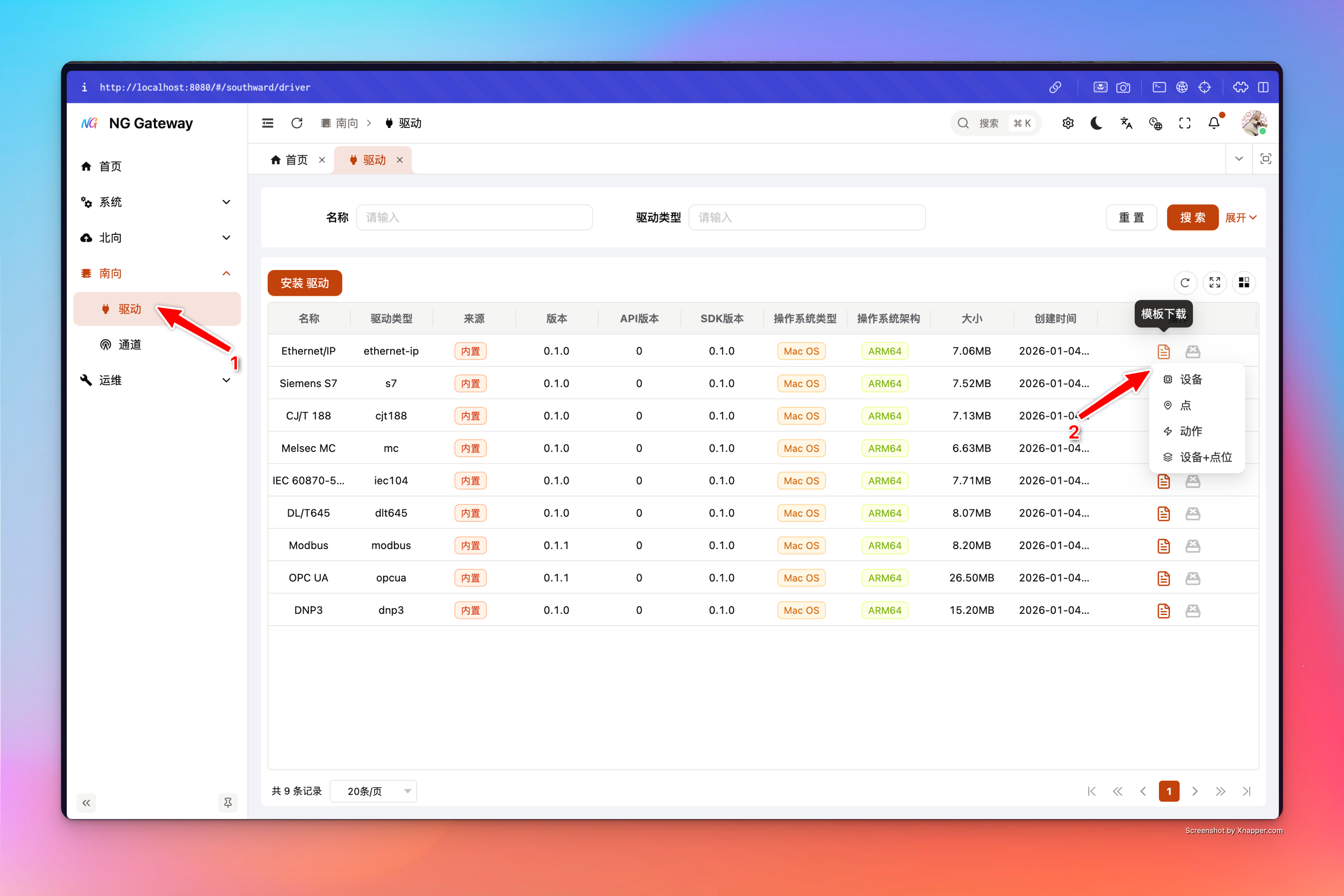
Usage Entry
Download Template
Preview Validation
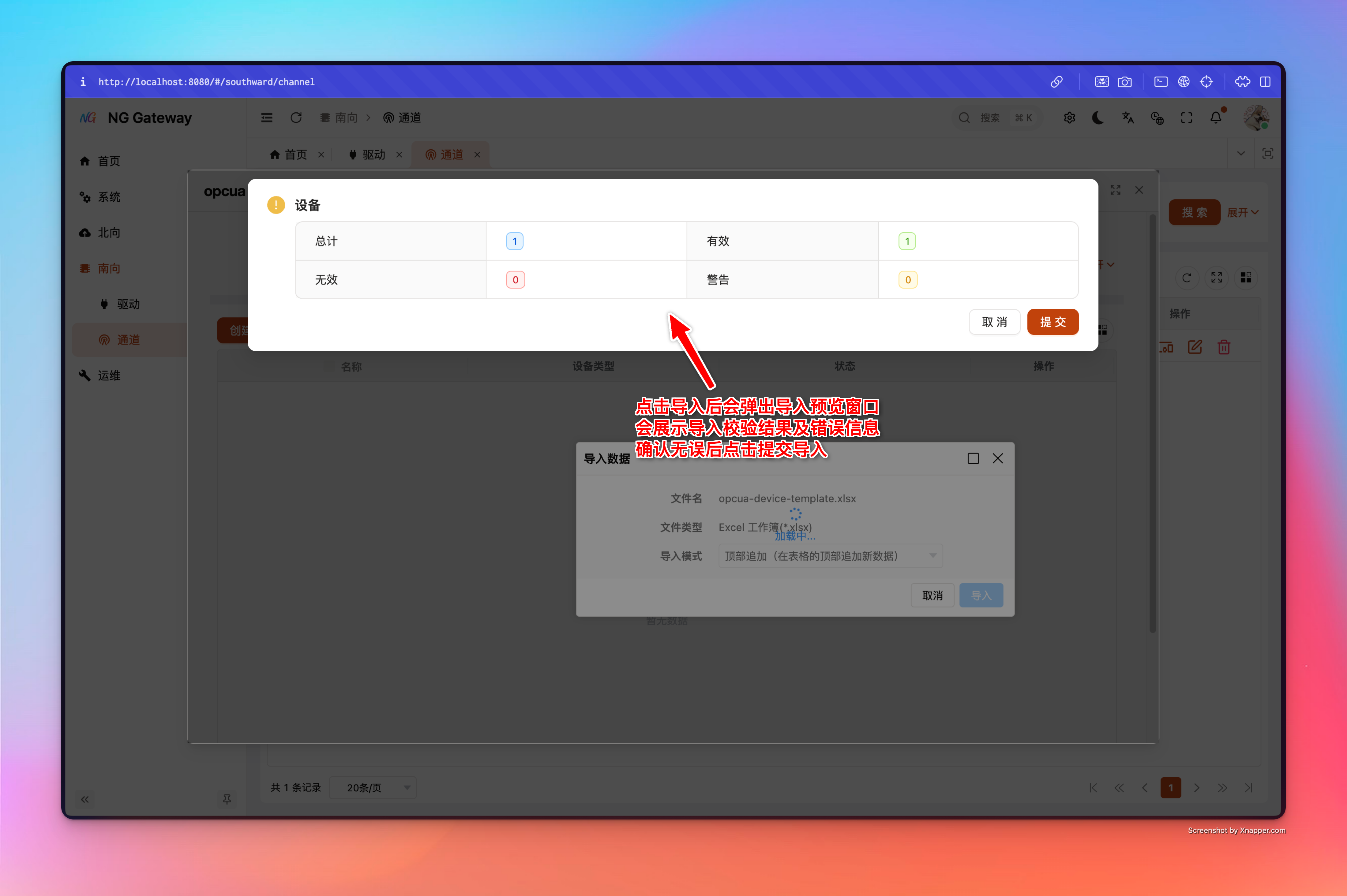
Commit Write
Template Fields
Device Basic Fields:
Tip: Fill in every row, and multiple rows for the same device name must be consistent.
- Device Name:
device_name - Device Type:
device_type
Device Driver Configuration:
- Common Address: IEC104 Device Driver Configuration (CA), Required
Point Basic Fields (One point per row):
- Name: Point Name
- Key Name: Point key (External stable identifier)
- Type: Attribute/Telemetry (Dropdown)
- Data Type: Boolean/Int16/Float64/... (Dropdown)
- Access Mode: ReadOnly/WriteOnly/ReadWrite (Dropdown)
- Unit (Optional)
- Min/Max Value (Optional)
- Scaling Factor (Optional)
Point Driver Configuration:
- IOA: Information Object Address, Required
- ASDU Type: Point Type (Measurement M_*, Dropdown), Required
Consistency Validation
In multiple rows with the same "Device Name", Device Type and Common Address must be consistent, otherwise preview will report an error.
Example
The following example is given according to the template header (English translation). When copying, just fill the values into the corresponding columns:
| Device Name | Device Type | Common Address | Name | Key Name | Type | Data Type | Access Mode | Unit | Min Value | Max Value | Scaling Factor | IOA | ASDU Type |
|---|---|---|---|---|---|---|---|---|---|---|---|---|---|
| iec104-st01 | Station | 1 | Telesignal 1 | yx_1 | Telemetry | Boolean | ReadOnly | 1001 | Single point without time tag | ||||
| iec104-st01 | Station | 1 | Telemetry 1 | yc_1 | Telemetry | Float32 | ReadOnly | A | 0 | 100 | 1 | 2001 | Short float without time tag |
| iec104-st02 | Station | 2 | Telesignal 2 | yx_2 | Telemetry | Boolean | ReadOnly | 1002 | Single point without time tag | ||||
| iec104-st02 | Station | 2 | Telemetry 2 | yc_2 | Telemetry | Float32 | ReadOnly | ℃ | -40 | 150 | 1 | 2002 | Short float without time tag |
2) Bulk Point Import
Usage Entry
Download Template
Preview Validation
Commit Write
Template Fields
- Point Basic Fields: Name, Key Name, Type, Data Type, Access Mode, Unit, Min Value, Max Value, Scaling Factor
- IEC104 Point Driver Fields: IOA, ASDU Type (Measurement M_*)
Example
| Name | Key Name | Type | Data Type | Access Mode | Unit | Min Value | Max Value | Scaling Factor | IOA | ASDU Type |
|---|---|---|---|---|---|---|---|---|---|---|
| Telesignal 1 | yx_1 | Telemetry | Boolean | ReadOnly | 1001 | Single point without time tag | ||||
| Telesignal 2 | yx_2 | Telemetry | Boolean | ReadOnly | 1002 | Single point without time tag | ||||
| Telemetry 1 | yc_1 | Telemetry | Float32 | ReadOnly | ℃ | -40 | 150 | 1 | 2001 | Short float without time tag |
3) Bulk Action Import
Usage Entry
Download Template
Preview Validation
Commit Write
Key Semantics
Action Import is "One Parameter Per Row", automatically aggregated
- Excel template has One parameter per row (Parameter)
- Backend aggregates multiple rows of parameters into one Action by
(Action Name-name, Command-command)during commit - IEC104's IOA/ASDU Type is "Parameter-level Driver Configuration" (i.e., each parameter corresponds to an IOA/typeId itself)
Template Field Description
Action Basic Fields (Consistent for multiple rows of the same action):
- Action Name: e.g., "Close/Open/Reset"
- Command: External stable identifier (Used to distinguish action/facilitate retrieval; IEC104 protocol details are not put here)
Parameter Fields (Different per row):
- Parameter Name: Display Name
- Parameter Key Name: Stable key (Pass parameters by key when calling action)
- Data Type: Dropdown
- Required: true/false
- Default/Min/Max Value: Optional
IEC104 Parameter Driver Fields:
- IOA
- ASDU Type: Action Type (Command C_*, Dropdown)
Example
| Action Name | Command | Parameter Name | Parameter Key Name | Data Type | Required | Default Value | Min Value | Max Value | IOA | ASDU Type |
|---|---|---|---|---|---|---|---|---|---|---|
| Remote Control - Close | close | Close | close | Boolean | true | 3001 | Single command without time tag | |||
| Remote Control - Close | close | Open | open | Boolean | true | 3002 | Single command without time tag |
When Calling
Giving close=true will issue to IOA=3001; giving open=true will issue to IOA=3002. When an action contains multiple parameters, the driver will issue them one by one according to the parameter list (Serially).
Common Errors and Troubleshooting
1) Prompt driver/entity mismatch
Means you used the wrong template (Or template is modified/missing __meta__). Please re-download the template for the correct entity.
2) Prompt "device_type/Common Address inconsistent"
When the same device name corresponds to multiple rows of points, Device Type and Common Address (CA) must be consistent; it is recommended to filter by device name in Excel to check first.
3) Enum field filled with custom text causing failure
For example "Data Type/Access Mode/ASDU Type". Please use the dropdown options included in the template; do not manually type non-template text.