
Branding
"Branding" is used to replace the management console with your brand image, including Product Name (Title), Logo and Favicon. This configuration is Globally Effective: Affects all users (Including unauthenticated pages like login page).
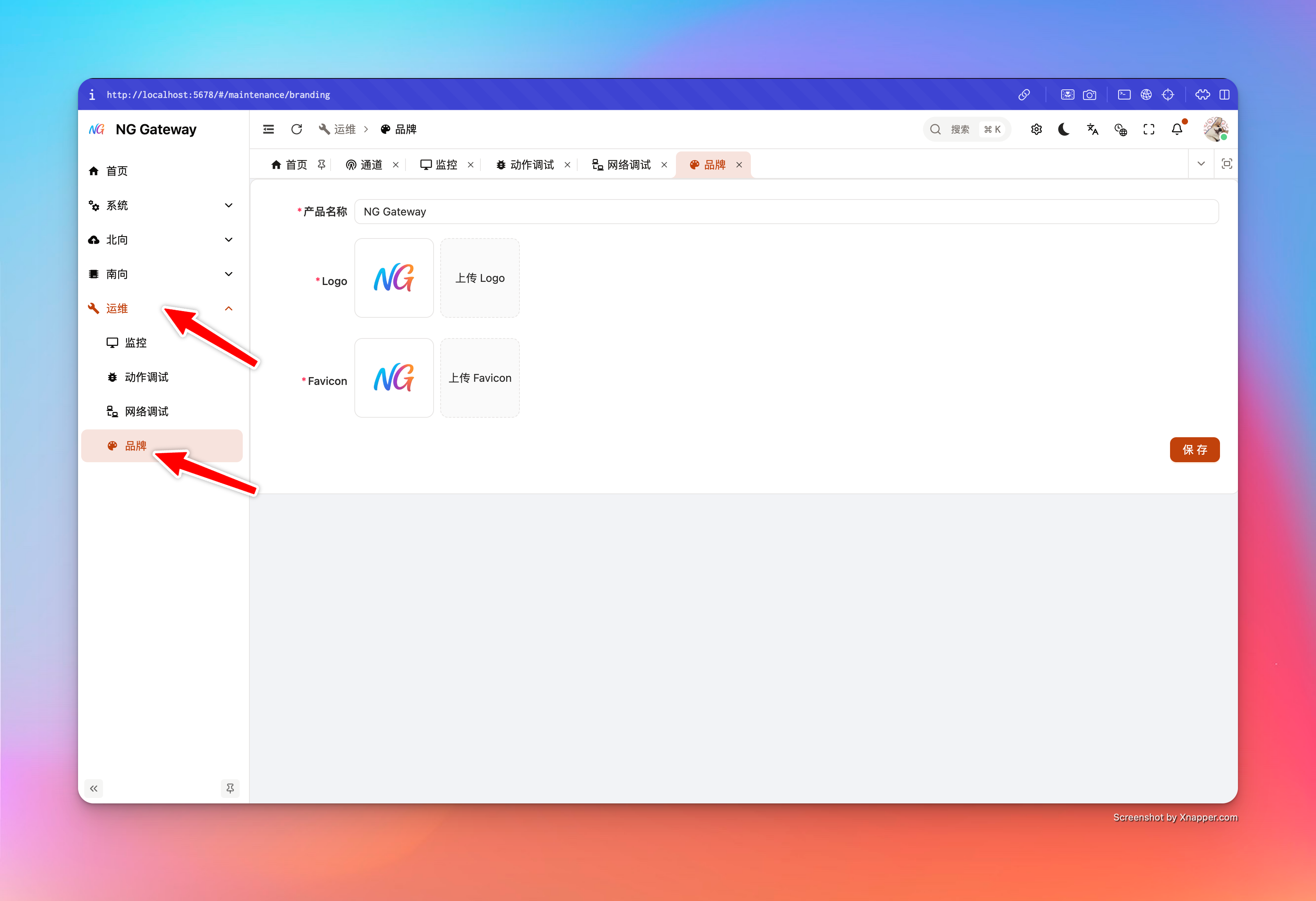
Permissions and Impact Scope
- Only System Admin can modify (SYSTEM_ADMIN)
- Effective immediately for all users after modification (Browser cache may cause slight visual update delay)
Configurable Items and Limits
1) Product Name (Title)
- Required
- Server limit length: 1~128
- After saving:
- Updates browser tab title (
document.title) - Synchronizes runtime preference settings (Avoid rollback after refresh)
- Updates browser tab title (
2) Logo
- Supported formats: PNG / WEBP / JPEG
- Max size: 10MB
- Provided externally via
/branding/logoafter upload, with ETag (Browser may cache)
3) Favicon
- Supported formats: ICO / PNG
- Max size: 256KB
- External path:
/branding/favicon.ico(Also compatible with/favicon.ico) - Browser caches favicon aggressively, server forces
no-cacheto require revalidation
User Guide
- Enter "Branding" page
- Fill in Product Name
- Select and upload Logo and Favicon
- Type check and size check performed on selection; non-compliant files rejected
- Click "Save"
- Upload initiates only on save (Not auto-upload on file selection)
- After successful save, page auto refreshes preview
- System pulls latest config from
/branding.json, usesupdatedAtfor cache bust
- System pulls latest config from
Caching and Refresh Strategy
Branding involves static resources (Image/Icon), browser and proxy layer may cache. System implements two types of countermeasures:
/branding.json:Cache-Control: no-cache(Require revalidation every time)- Logo:
Cache-Control: public, max-age=3600+ ETag (Allow cache, but trigger URL change viaupdatedAt) - Favicon:
Cache-Control: no-cache+ ETag (Require revalidation)
If you still encounter "Save successful but UI unchanged", handle in order:
- Wait 5~10 seconds and check again (Reverse proxy/Cache layer may have delay)
- Hard Refresh (Chrome/Edge: Ctrl/Cmd+Shift+R)
- Clear Site Cache (Only for this domain)
- If using CDN/Reverse Proxy, confirm no strong cache on
/branding/*
FAQ
1) Upload prompts type not supported
- Logo only allows:
image/png,image/webp,image/jpeg - Favicon only allows:
image/x-icon,image/vnd.microsoft.icon,image/png
Suggest re-exporting file with standard tools, avoiding MIME recognition exception.
2) Upload prompts file too large
- Logo limit 10MB
- Favicon limit 256KB
Suggestion:
- Logo prioritize SVG to PNG, or compress PNG/WEBP
- Favicon use 32x32 or 48x48 ICO/PNG and enable compression