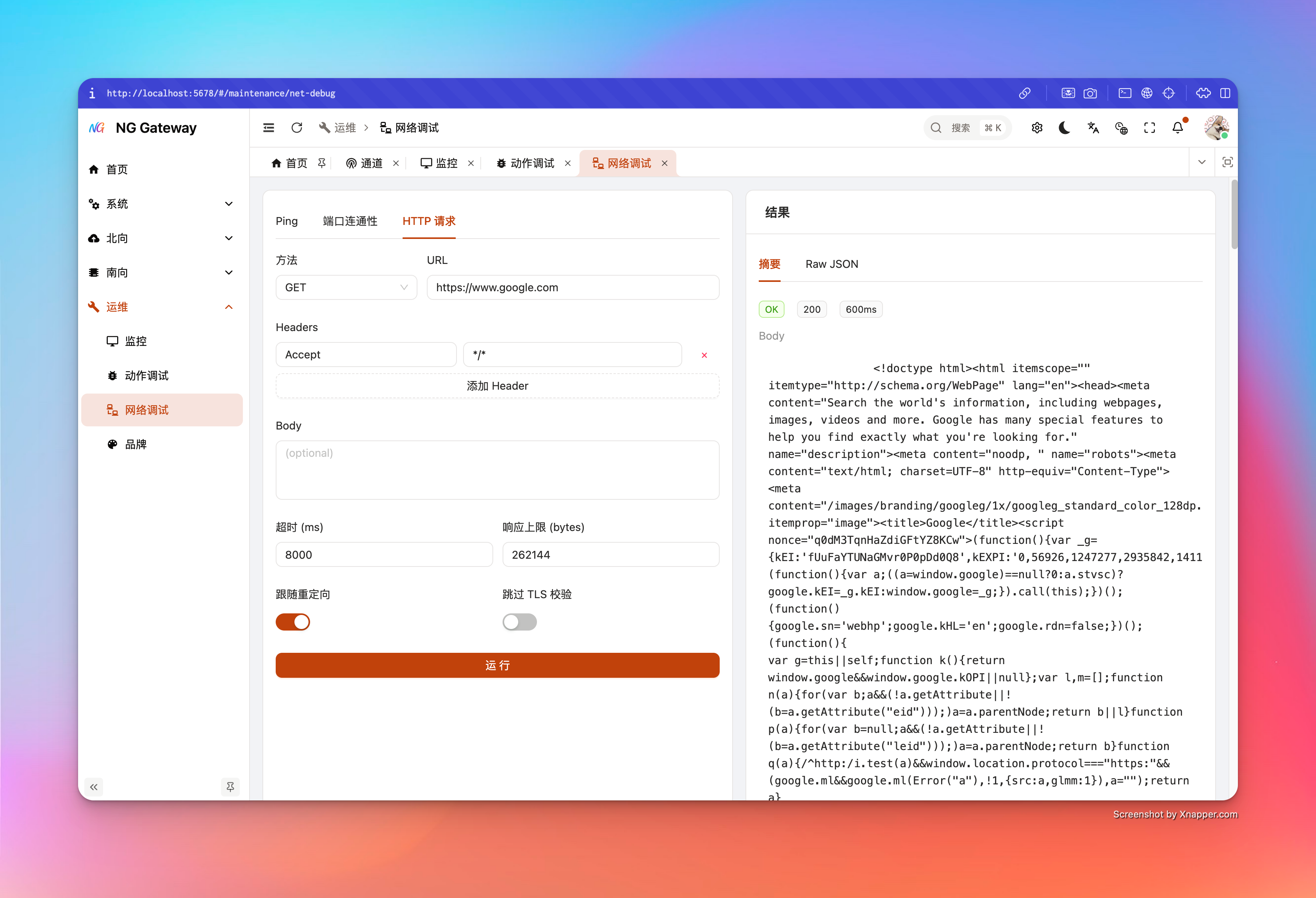
Net Debug
"Net Debug" provides three built-in diagnostic capabilities: Ping, TCP Connect, HTTP Request. They are all implemented by gateway using library functions, executing no shell commands, avoiding command injection risks, and including minimal SSRF protection (Avoiding turning gateway into intranet scanner).
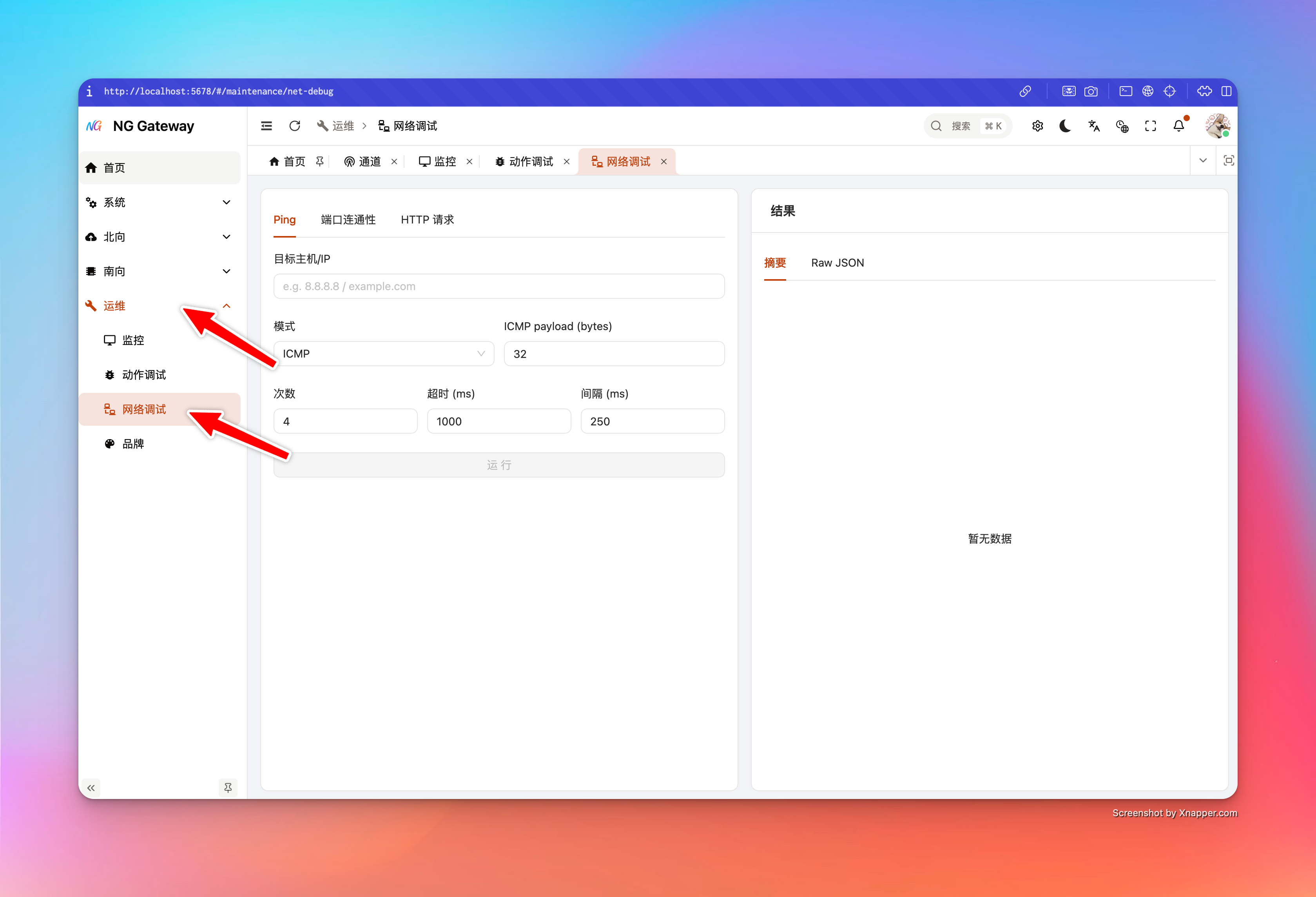
1) Ping (ICMP / TCP)
What problem it solves
- Whether target domain resolves to IP (Returns
resolvedIps) - Whether basic network is reachable (Packet loss rate, RTT)
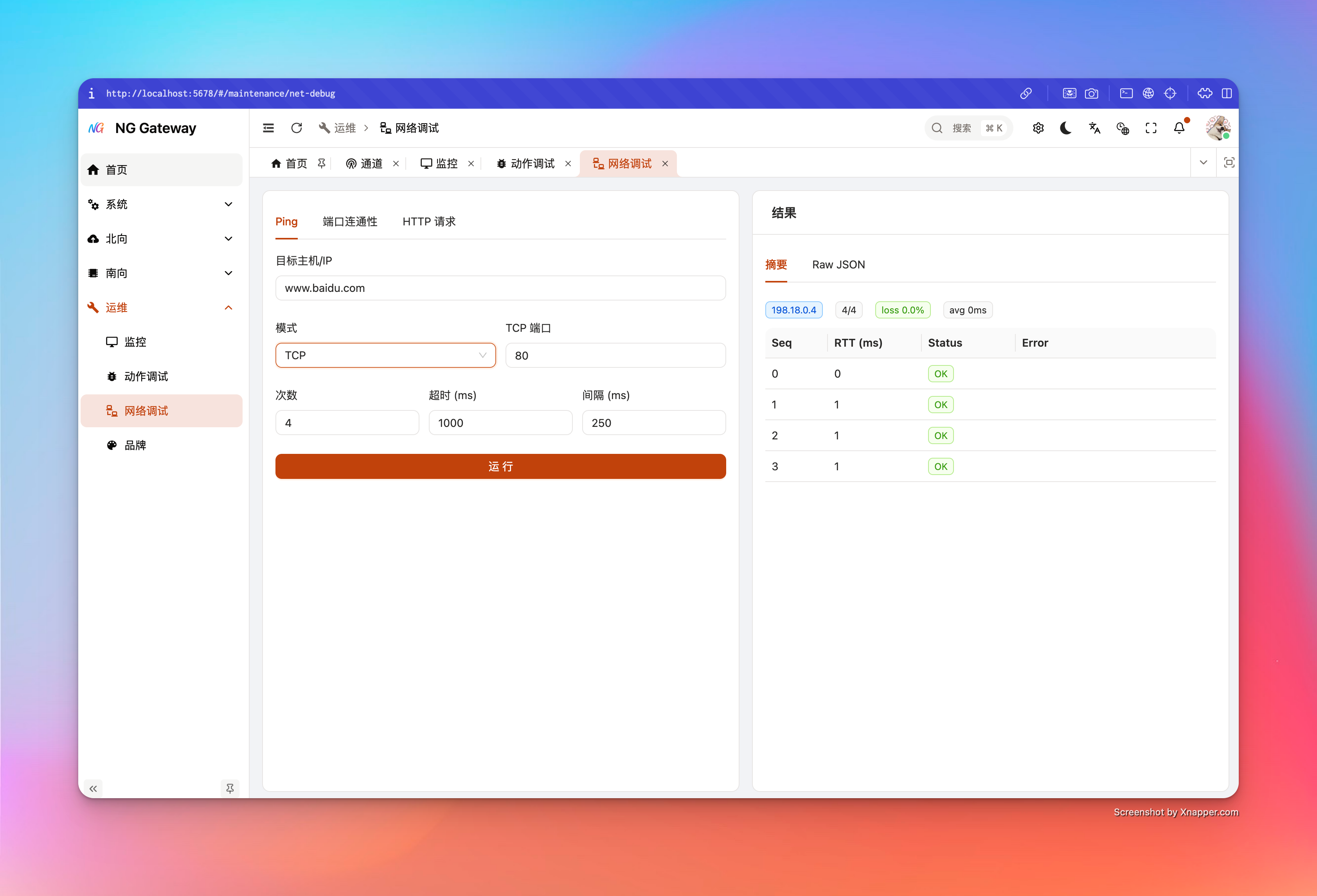
- When ICMP unavailable, use TCP mode to approximate path reachability
Parameter Description
- Target Host: Domain or IP
- Mode
icmp: ICMP echotcp: TCP connect totcpPort(For environments without ICMP permission)
- ICMP payload (bytes): ICMP payload size (8~1024)
- Count: Count (1~20)
- Timeout (ms): Single timeout (100~30000)
- Interval (ms): Interval (0~10000)
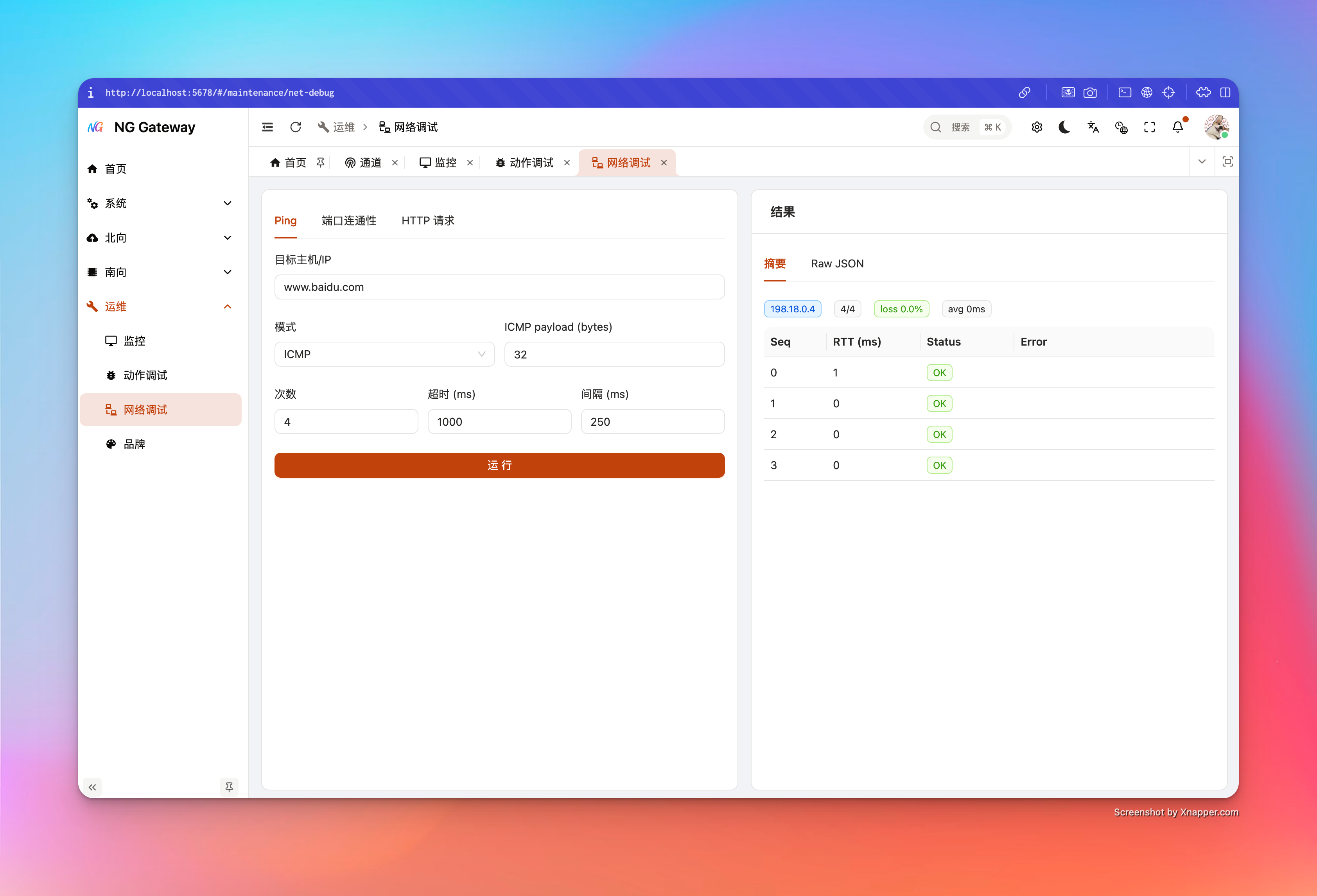
Return Result
targetIp: Target IP used this time (Selected from resolution results)received/sentandlossPercentrttAvgMs(If successful samples exist)samples[]: OK/FAIL and RTT/Error for each sequencenote: Gives hint when common permission issues detected (e.g., Container missingCAP_NET_RAW)
Common Issues
- ICMP All Fail and Error contains Permission: Common in container/restricted environment missing raw socket permission
- Solution: Switch to TCP mode, or grant
CAP_NET_RAWto container (Assess security risk)
- Solution: Switch to TCP mode, or grant
2) TCP Connect (Port Connectivity + Banner)
What problem it solves
- Whether TCP connection can be established to target host:port
- Basic handshake time (
connectMs) - Optional reading Banner (e.g., some services return welcome info/protocol header)
Parameter Description
- Host: Domain or IP
- Port: Port (1~65535)
- Timeout (ms): Connection timeout (100~60000)
- Read Banner: Whether to try reading Banner
- Banner Bytes: Read bytes limit (1~4096)
Return Result
connected: Whether connection successfultargetIp: Final successful IP (If multiple resolved, tries one by one)connectMs: Connection timebanner: Read text (If any)error: Failure reason (Timeout/Refused/Unreachable etc.)
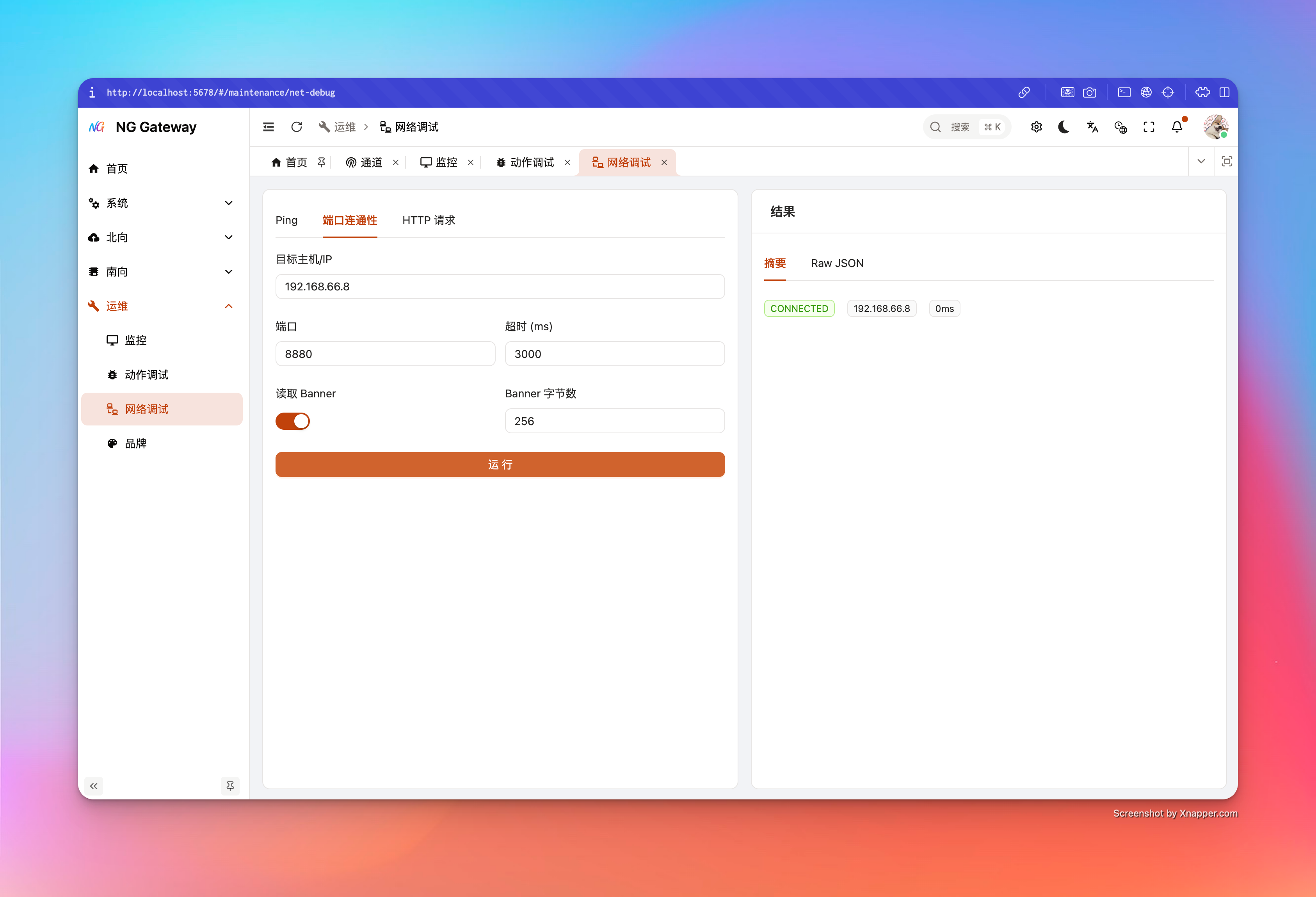
3) HTTP Request (Application Layer Diagnosis)
What problem it solves
- Whether target HTTP(S) service is reachable from gateway
- Status code, response headers, response body (Truncation protection)
- Redirect behavior, TLS certificate issues (Optional relax)
Parameter Description
- Method: GET/POST/PUT/PATCH/DELETE/HEAD/OPTIONS
- URL: Only allow
http://orhttps:// - Headers: Add multiple headers (Empty key ignored)
- Body: Optional request body (Note: Some services inconsistent on GET/HEAD body behavior)
- Timeout (ms): 200~120000
- Max Response Bytes: Response body limit (1KB~2MB), exceeding truncates and marks
bodyTruncated=true - Follow Redirects: Whether to follow redirects (Max 5)
- Insecure TLS: Whether to accept invalid certificate (Diagnostic only, not recommended for production)
Return Result
status: HTTP status code (May be empty on failure)totalMs: Total timeheaders: Response header mapbody: Response body (May be empty)bodyTruncated: Whether truncatederror: Error info (DNS/TLS/Timeout/Connection Failed etc.)