
背景
在实际项目中,用户经常需要创建大量配置相似的:
- 设备(Device)
- 点位(Point)
- 动作(Action)
如果完全依赖手工逐条填写 UI 表单,过程会非常耗时且容易出错;在大规模部署(成百上千设备/点位)时问题会被放大。
因此我们引入 Driver Metadata Schema:
- 用一份“驱动特定配置”的结构化 Schema,自动映射/渲染出对应的 UI 表单
- 用同一份 Schema 自动生成 Excel 导入模板(含下拉枚举、校验规则、隐藏元信息)
- 导入时按 Schema 做一致的校验/归一化/映射,降低错误率并提升吞吐
关键原则
Schema 是“驱动配置的描述”,不是业务逻辑;它的目标是让 UI/导入在不写或变更额外前端代码的情况下跟随驱动演进。
数据结构
Driver Metadata Schema 的核心类型是 ng-gateway-sdk::ui_schema::DriverSchemas,按实体拆成 4 份:
- channel:通道(Channel)级驱动配置
- device:设备(Device)级驱动配置
- point:点位(Point)级驱动配置
- action:动作参数(Action Parameters)级驱动配置
每一份 Schema 都由 Node 组成,Node 有 3 种形态:
- Field:一个字段(输入框/开关/枚举等)
- Group:一个分组(用于 UI 折叠/排序/组织)
- Union:一个“联合类型/分支”(用 discriminator 决定显示哪一组子字段)
Field 的关键字段
一个 Field 主要包含:
- path:字段路径
- label:字段显示名(支持国际化)
- data_type:类型(String/Integer/Float/Boolean/Enum/Any)
- default_value:默认值(可选)
- ui:UI 提示(placeholder/help/col_span/disabled 等)
- rules:校验规则(required/min/max/length/pattern,支持自定义错误文案)
- when:条件(基于其它字段值决定show/required/disabled等)
宏用法
ui_text!:在 schema 中写入可本地化文本
- 用途:给
label/description/help/placeholder/enum item等文本提供国际化值(最少建议包含en-US+zh-CN)。 - 常见写法:
ui_text!(en = "Port", zh = "端口")ui_text!({ "en-US" => "Port", "zh-CN" => "端口" })ui_text!("Port")(不需要多语言时)
TIP
UI 端会按当前语言做 fallback(当前 locale → base language → en-US → zh-CN → 任意可用)。
ng_driver_factory!:导出驱动工厂与静态 metadata(DriverSchemas)
- 用途:在驱动动态库中导出必要的 C ABI 符号(版本、driver_type、factory ctor、metadata JSON 指针等),供网关在 probe/安装/运行时加载。
- 关键参数:
name:驱动名称description:驱动描述(可选)driver_type:驱动唯一标识metadata_fn:返回DriverSchemas的函数(通常是build_metadata)component:驱动组件类型(实现Connector/Session/Handle;Connector::new为async,由ng_driver_factory!在驱动自有NG_RUNTIME上await;语义见南向驱动开发中 Async runtime semantics / 硬性约束)model_convert:模型转换器(实现SouthwardModelConverter,用于低频 model -> runtime 结构转换)channel_capacity:可选;驱动内部 actor 队列容量
Schema 如何被网关使用
1) 驱动导出 Schema(随动态库发布)
每个南向驱动 crate 会提供一个 build_metadata() -> DriverSchemas,并在 lib.rs 里通过 ng_driver_factory! 宏导出:
- 驱动基础信息:name/description/driver_type/component/model_convert
- 静态 metadata(DriverSchemas):通过 C ABI 以 JSON bytes 形式暴露给网关驱动加载器
最小示例:
pub use connector::EthernetIpConnector;
use converter::EthernetIpConverter;
use metadata::build_metadata;
use ng_gateway_sdk::ng_driver_factory;

ng_driver_factory!(
    name = "Ethernet/IP",
    description = "Ethernet/IP industrial protocol driver for Allen-Bradley PLCs",
    driver_type = "ethernet-ip",
    component = EthernetIpConnector,
    metadata_fn = build_metadata,
    model_convert = EthernetIpConverter
);use ng_gateway_sdk::{ui_text, DriverSchemas, Field, Node, RuleValue, Rules, UiDataType};
use serde_json::json;
/// Build static metadata once to be embedded as JSON for the gateway UI/config.
pub(super) fn build_metadata() -> DriverSchemas {
DriverSchemas {
channel: build_channel_nodes(),
device: build_device_nodes(),
point: build_point_nodes(),
action: build_action_nodes(),
}
}
/// Build static metadata once to be embedded as JSON for the gateway UI/config.
pub(super) fn build_metadata() -> DriverSchemas {
DriverSchemas {
channel: build_channel_nodes(),
device: build_device_nodes(),
point: build_point_nodes(),
action: build_action_nodes(),
}
}
/// Build channel-level configuration nodes for the Ethernet/IP driver.
fn build_channel_nodes() -> Vec<Node> {
vec?)(?:\\.(?:[A-Za-z0-9](?:[A-Za-z0-9-]{0,61}[A-Za-z0-9])?))*|(?:(?:25[0-5]|2[0-4]\\d|1\\d\\d|[1-9]?\\d)\\.){3}(?:25[0-5]|2[0-4]\\d|1\\d\\d|[1-9]?\\d))$".to_string(),
message: Some(ui_text!(
en = "Enter a valid IPv4 address or hostname",
zh = "请输入有效的 IPv4 或主机名"
)),
}),
..Default::default()
}),
default_value: None,
order: Some(1),
ui: None,
when: None,
})),
Node::Field(Box::new(Field {
path: "port".into(),
label: ui_text!(en = "Port", zh = "端口"),
data_type: UiDataType::Integer,
rules: Some(Rules {
required: Some(RuleValue::WithMessage {
value: true,
message: Some(ui_text!(
en = "Port is required",
zh = "端口是必填项"
)),
}),
min: Some(RuleValue::WithMessage {
value: 1.0,
message: Some(ui_text!(
en = "Port must be greater than 0",
zh = "端口必须大于0"
)),
}),
max: Some(RuleValue::WithMessage {
value: 65535.0,
message: Some(ui_text!(
en = "Port must be less than 65536",
zh = "端口必须小于65536"
)),
}),
..Default::default()
}),
default_value: Some(json!(44818)),
order: Some(2),
ui: None,
when: None,
})),
Node::Field(Box::new(Field {
path: "timeout".into(),
label: ui_text!(en = "Timeout (ms)", zh = "超时时间 (ms)"),
data_type: UiDataType::Integer,
rules: Some(Rules {
min: Some(RuleValue::WithMessage {
value: 100.0,
message: Some(ui_text!(
en = "Timeout must be at least 100ms",
zh = "超时时间至少为 100ms"
)),
}),
..Default::default()
}),
default_value: Some(json!(2000)),
order: Some(3),
ui: None,
when: None,
})),
Node::Field(Box::new(Field {
path: "slot".into(),
label: ui_text!(en = "Slot", zh = "插槽号"),
data_type: UiDataType::Integer,
default_value: Some(json!(0)),
order: Some(4),
ui: None,
rules: Some(Rules {
required: Some(RuleValue::WithMessage {
value: true,
message: Some(ui_text!(en = "Slot is required", zh = "插槽号是必填项")),
}),
min: Some(RuleValue::WithMessage {
value: 0.0,
message: Some(ui_text!(
en = "Slot must be non-negative",
zh = "插槽号必须是非负数"
)),
}),
max: Some(RuleValue::WithMessage {
value: 255.0,
message: Some(ui_text!(
en = "Slot must be less than 256",
zh = "插槽号必须小于256"
)),
}),
..Default::default()
}),
when: None,
})),
]
}
/// Build device-level configuration nodes for the Ethernet/IP driver.
fn build_device_nodes() -> Vec<Node> {
vec![]
}
/// Build point-level configuration nodes for the Ethernet/IP driver.
fn build_point_nodes() -> Vec<Node> {
vec![Node::Field(Box::new(Field {
path: "tagName".into(),
label: ui_text!(en = "Tag Name", zh = "标签名称"),
data_type: UiDataType::String,
default_value: None,
order: Some(1),
ui: None,
rules: Some(Rules {
required: Some(RuleValue::WithMessage {
value: true,
message: Some(ui_text!(
en = "Tag Name is required",
zh = "标签名称是必填项"
)),
}),
..Default::default()
}),
when: None,
}))]
}
/// Build action-level configuration nodes for the Ethernet/IP driver.
fn build_action_nodes() -> Vec<Node> {
// Actions typically reuse point configuration or define specific commands.
// For basic tag writing, we might just need the tag name.
vec![Node::Field(Box::new(Field {
path: "tagName".into(),
label: ui_text!(en = "Tag Name", zh = "标签名称"),
data_type: UiDataType::String,
default_value: None,
order: Some(1),
ui: None,
rules: Some(Rules {
required: Some(RuleValue::WithMessage {
value: true,
message: Some(ui_text!(
en = "Tag Name is required",
zh = "标签名称是必填项"
)),
}),
..Default::default()
}),
when: None,
}))]
}2) 网关 probe/安装时提取并落库
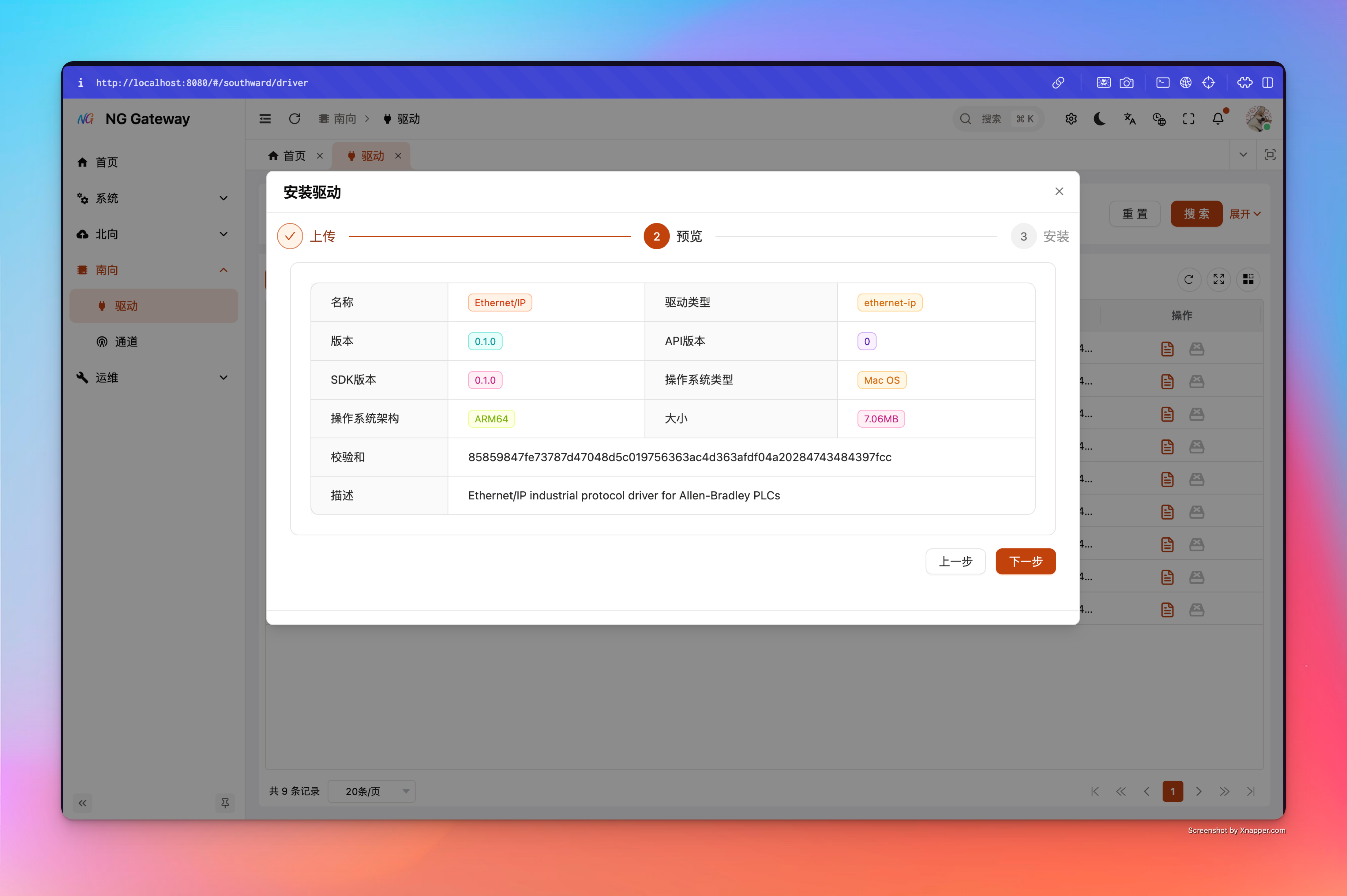
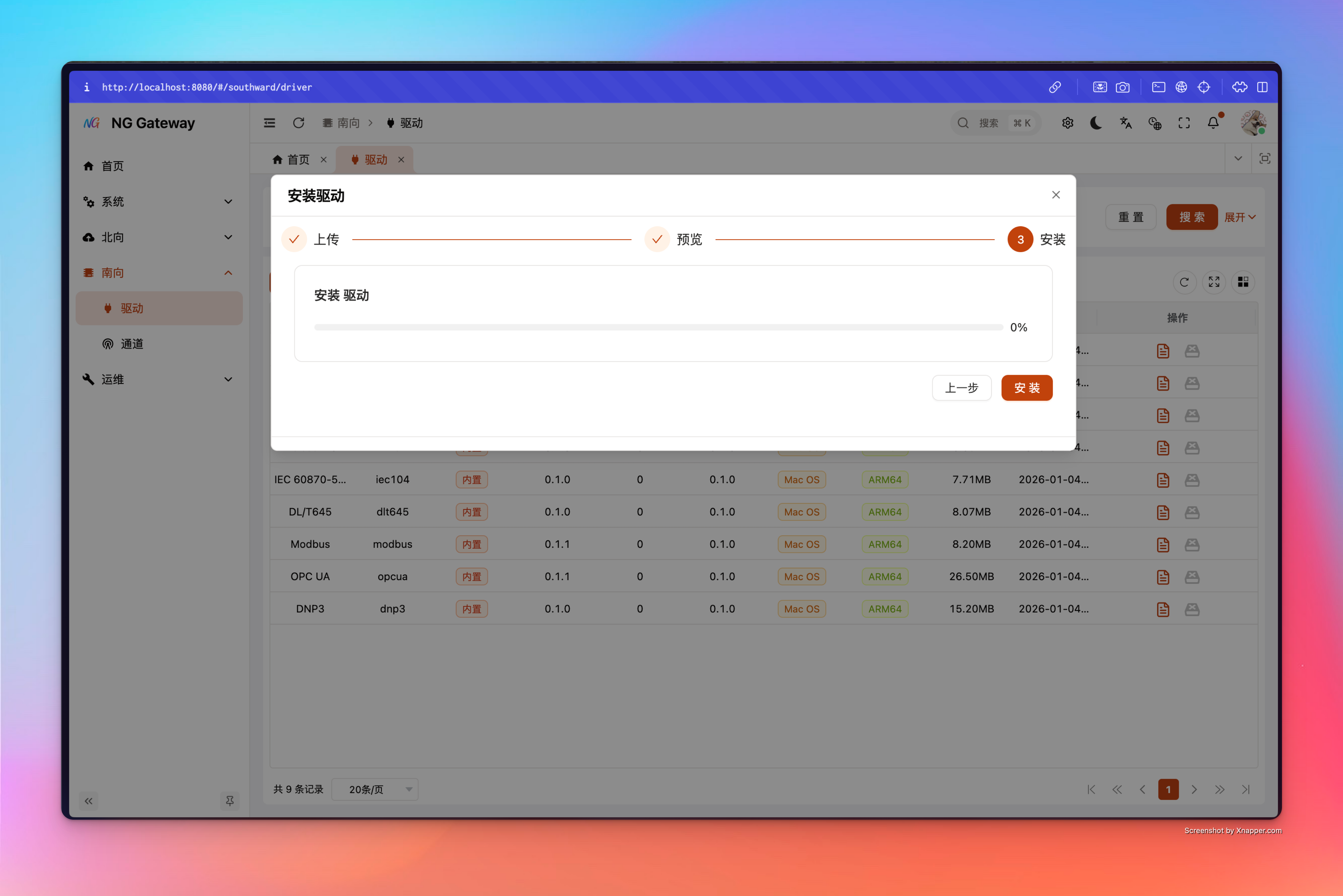
网关在 probe/安装驱动时会:
- 动态加载驱动库并读取导出的 metadata JSON
- 解析成
DriverSchemas - 把 schemas 存入数据库
3) UI 动态渲染表单
当用户在 UI 创建/编辑:
- Channel 的 driver_config
- Device 的 driver_config
- Point 的 driver_config
- Action 的参数及其 driver_config
前端会拉取对应 DriverSchemas,然后按 schema 结构动态渲染表单控件,并用 rules/when/default_value 做校验与交互。
4) Excel 模板生成与导入校验
网关可以为每个驱动生成 Excel 模板并提供 Web 端下载入口:
在左侧菜单选择 「南向」->「驱动」 进入驱动管理界面
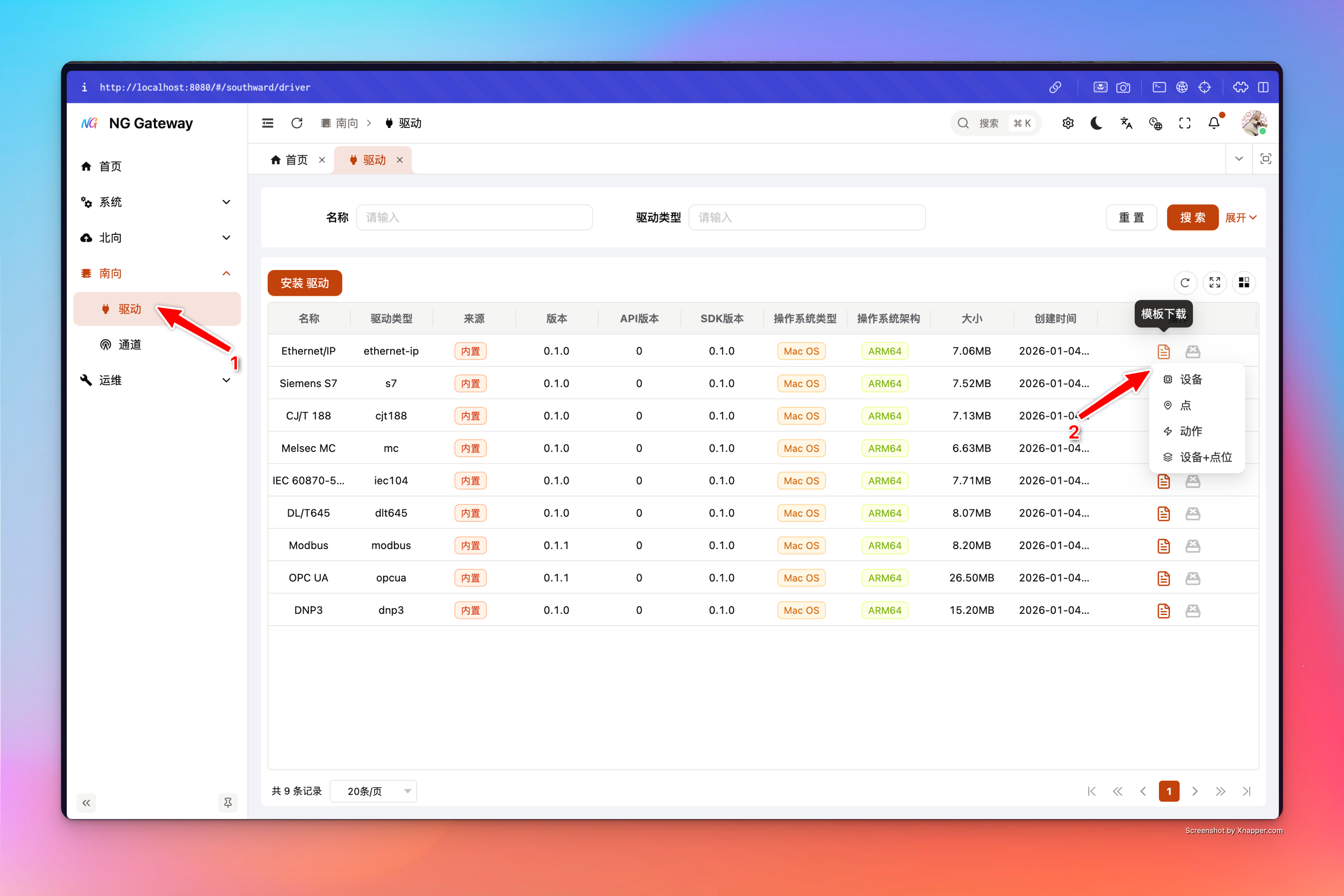
模板特性:
- 第一行是本地化表头(导入时按表头匹配列;不要改表头)
- 会写入隐藏的
__meta__sheet(包含 driver_type、entity、locale、schema_version 等),用于导入时做兼容校验 - enum 字段会生成下拉框(减少拼写错误)
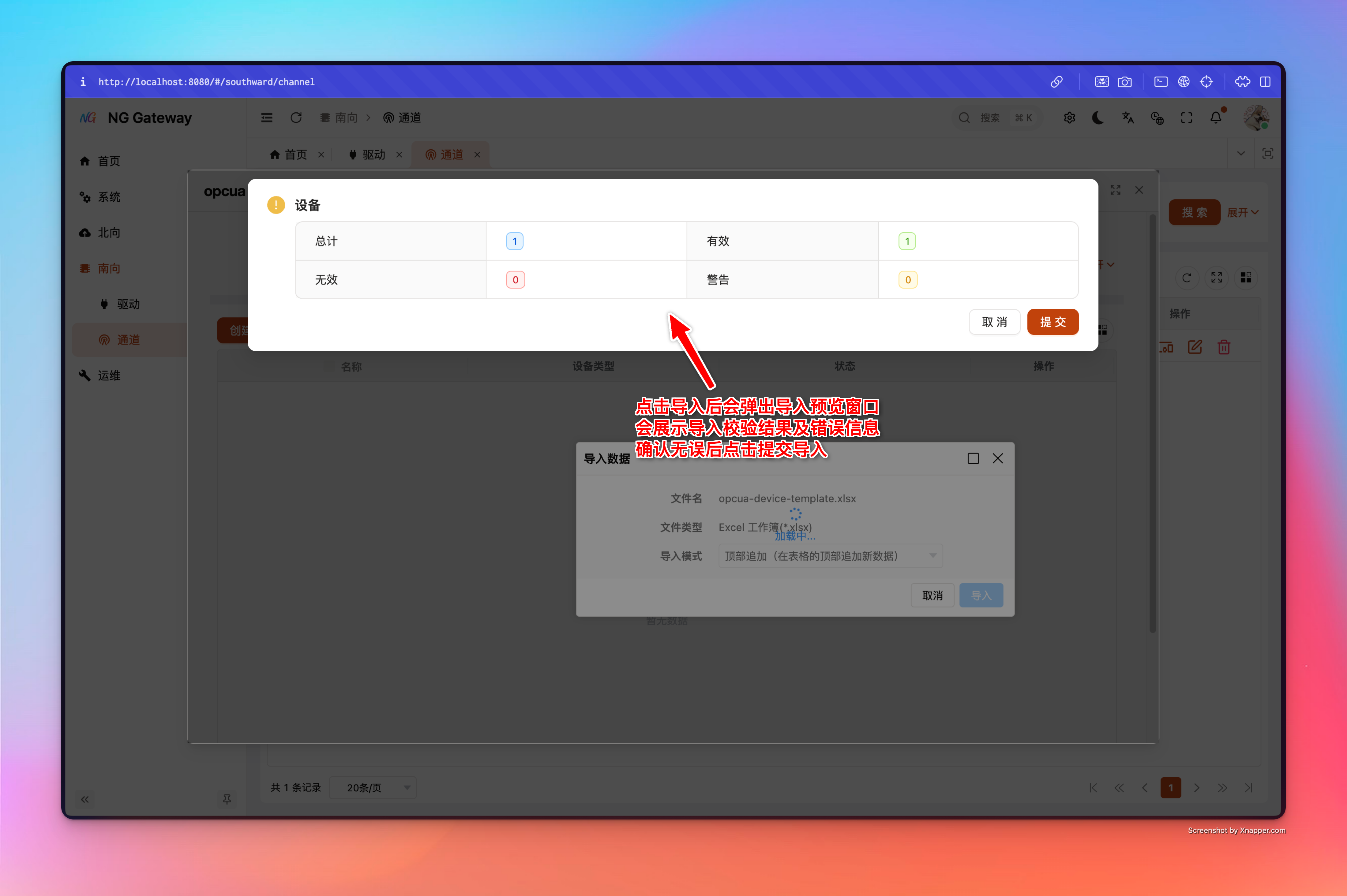
导入时,后端会读取 __meta__ 校验模板是否属于当前驱动,并按 schemas 对每行进行:
- 字段必填/范围/格式校验
- 条件显示字段(when)与 Union discriminator 的粗校验
- 类型归一化(例如枚举 label → 枚举 code)
- 映射到 domain 模型并提交(commit)
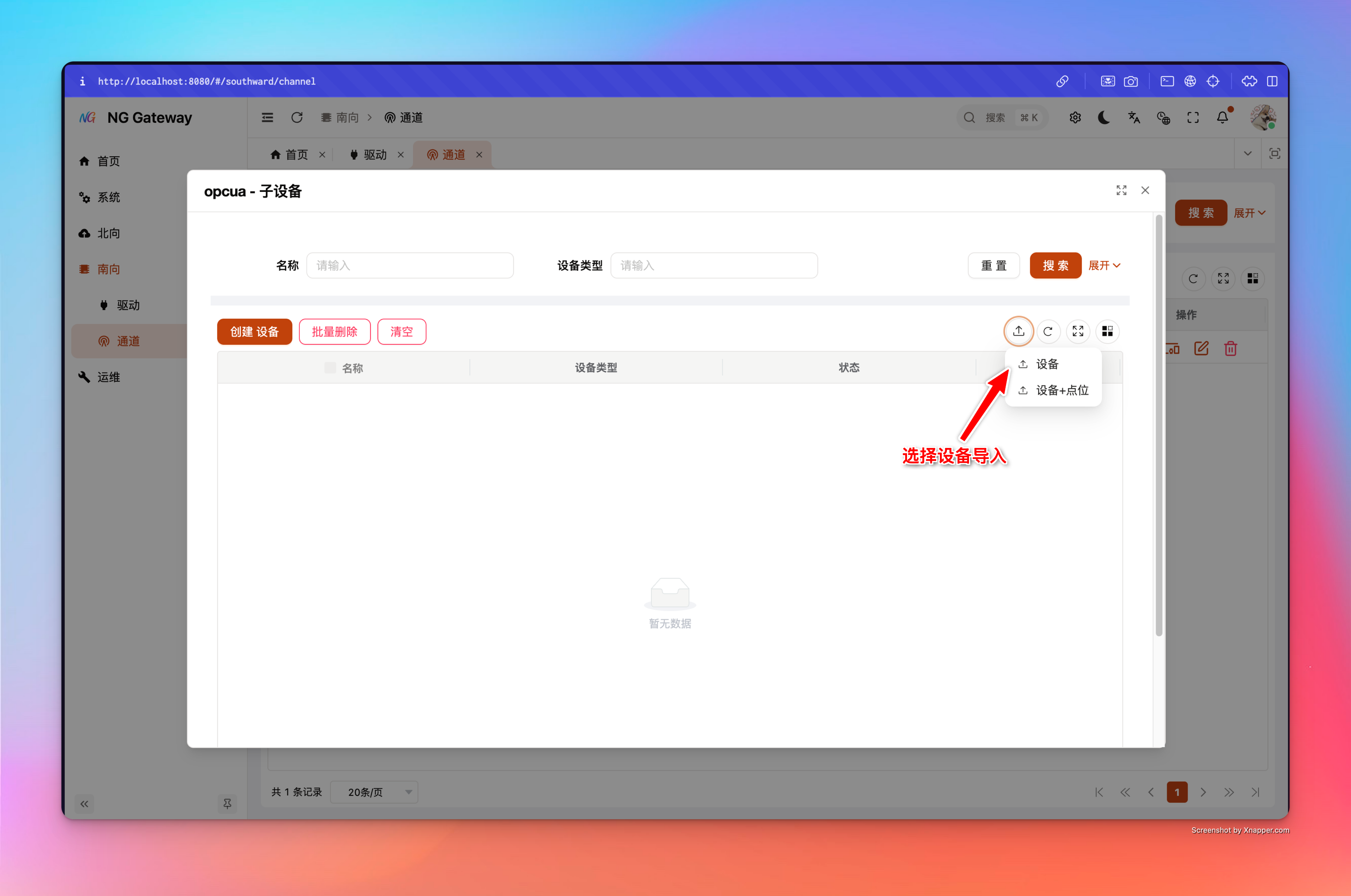
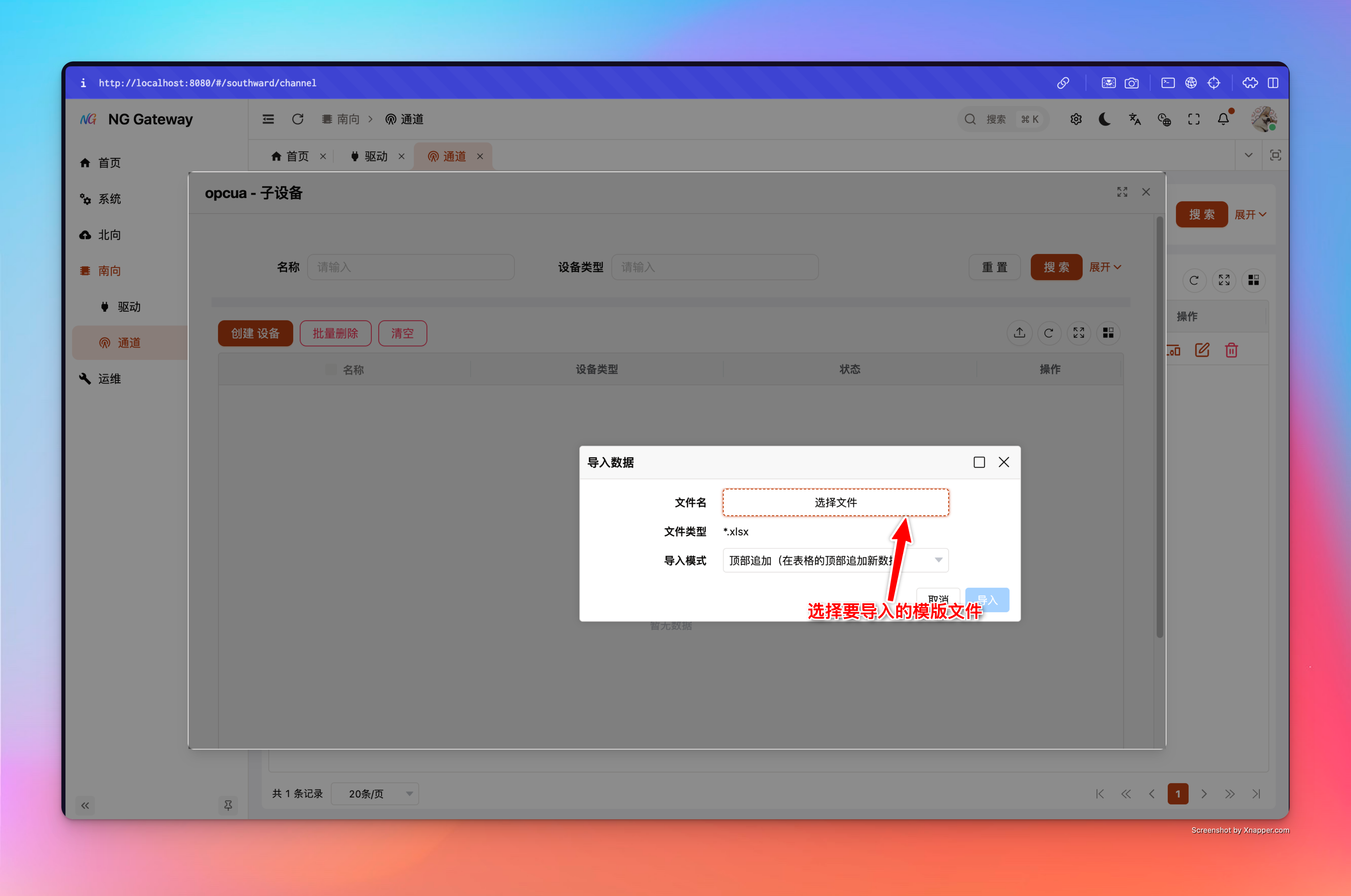
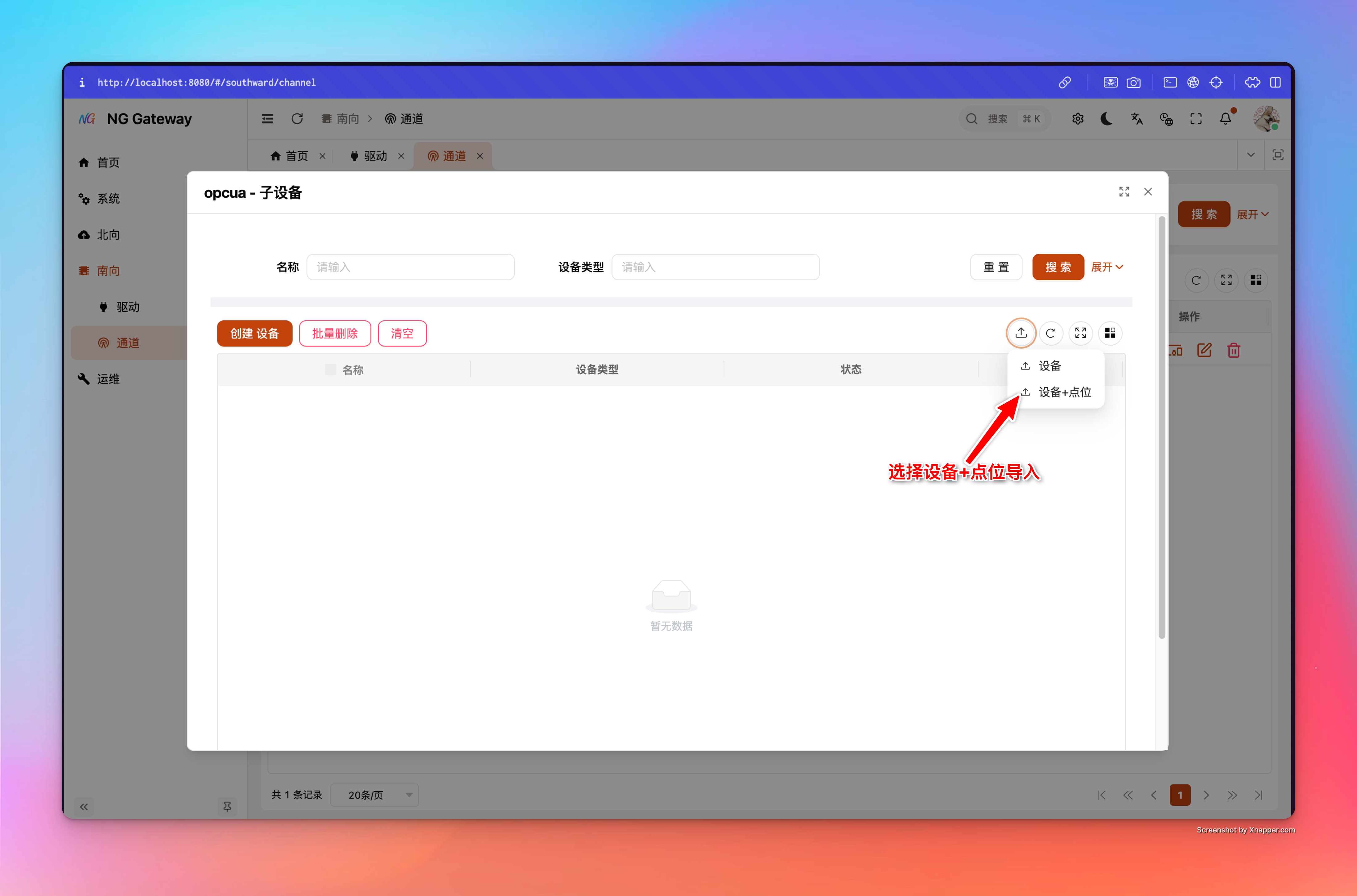
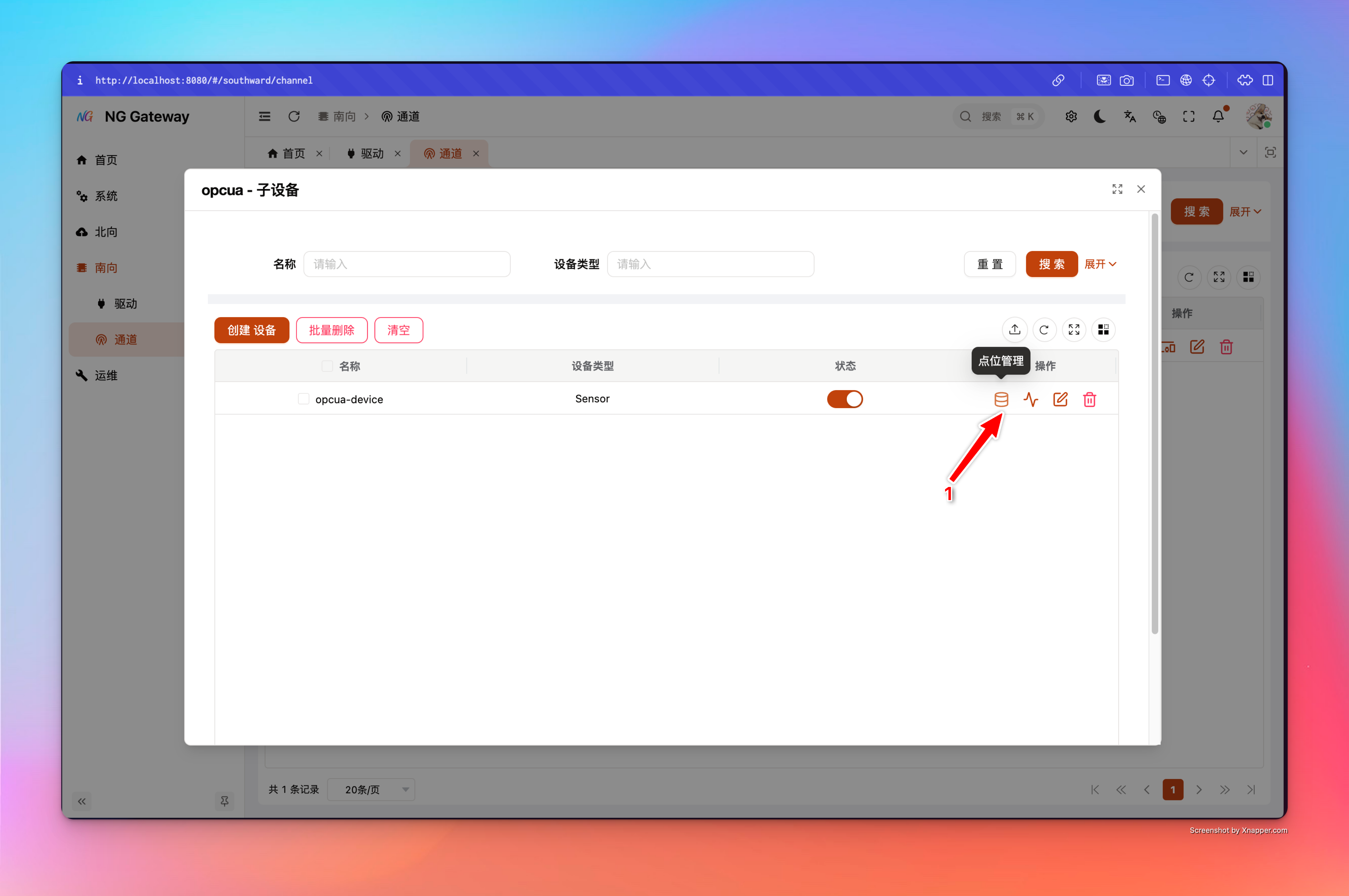
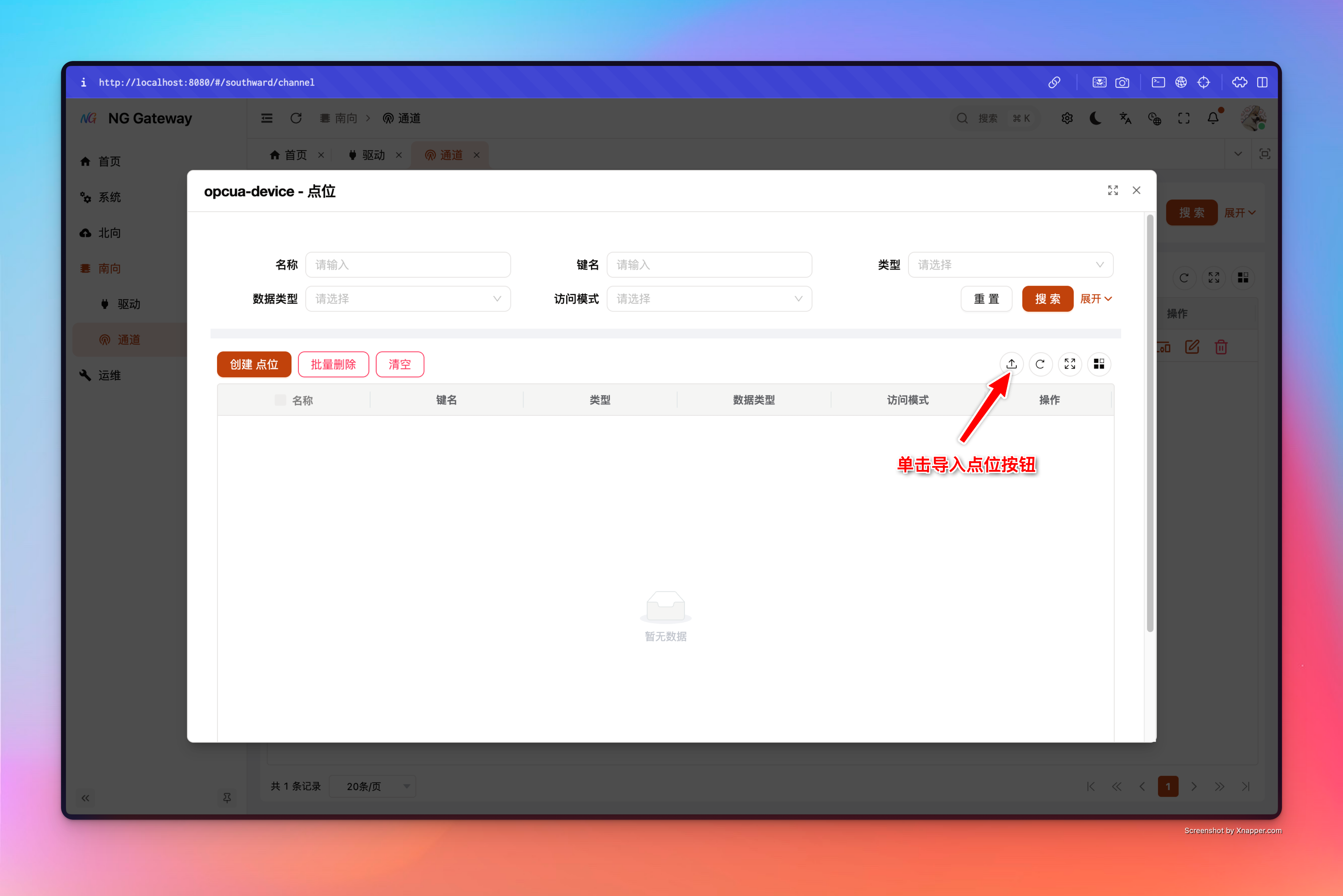
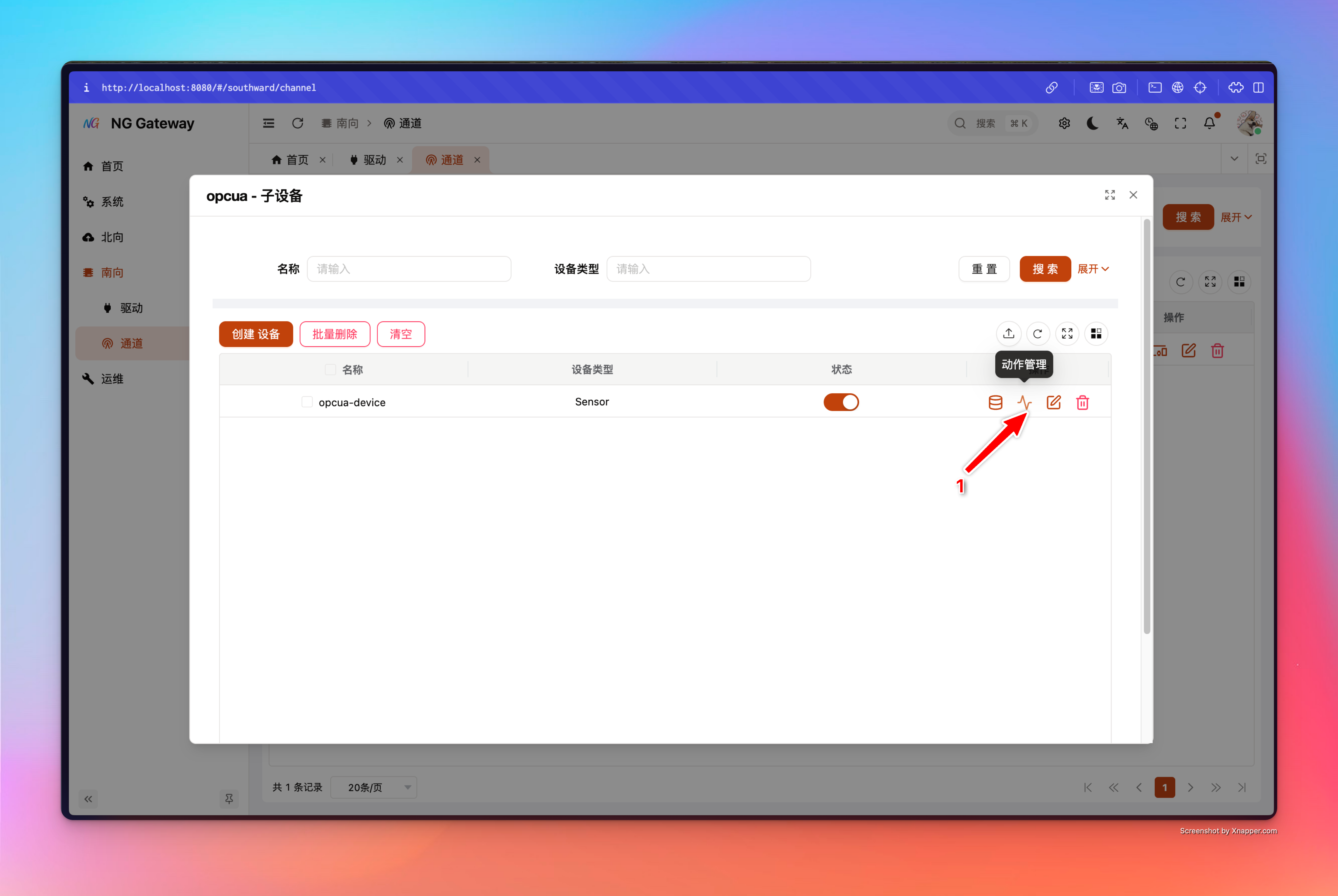
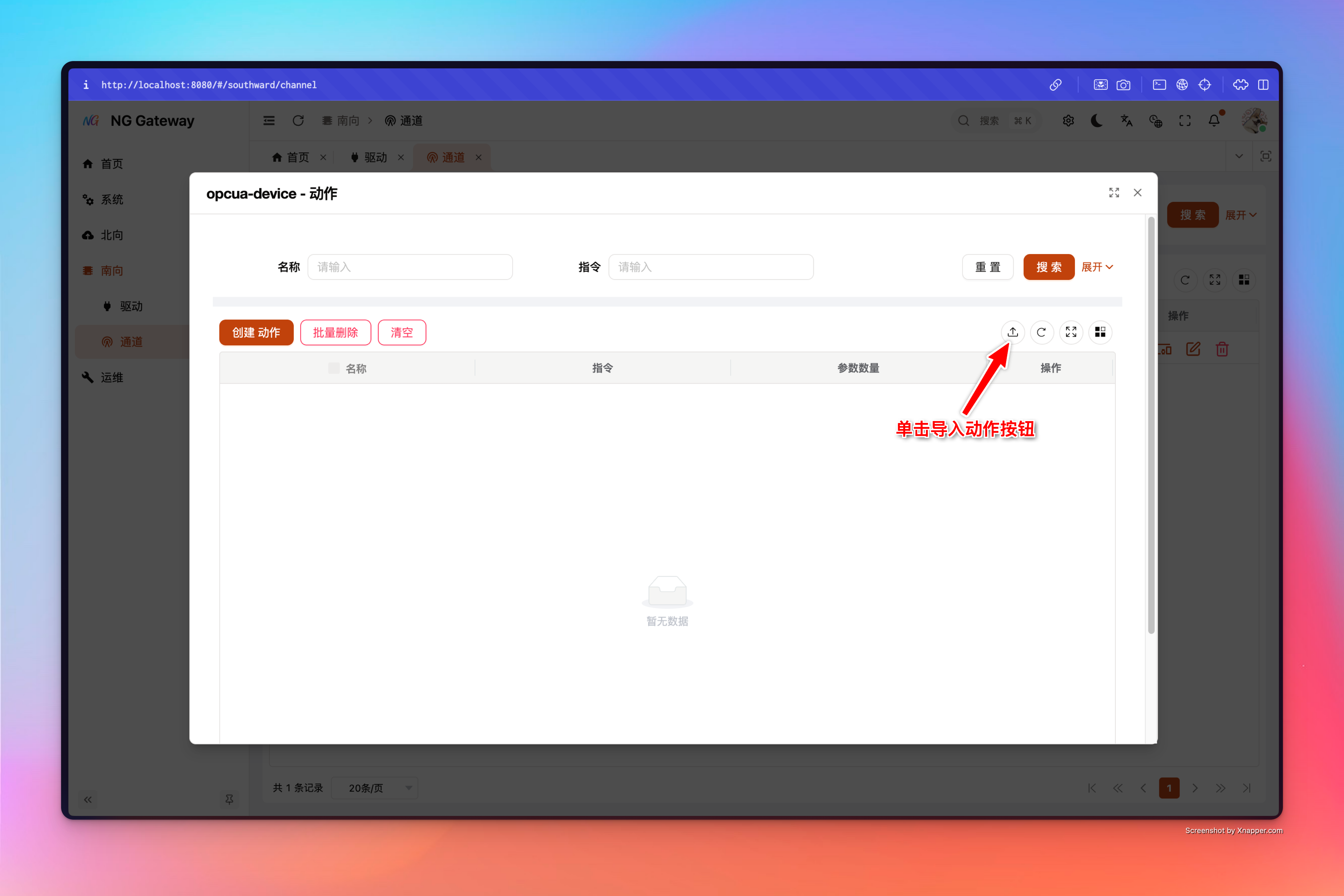
导入入口: 在左侧菜单选择 「南向」->「通道」 进入通道管理界面 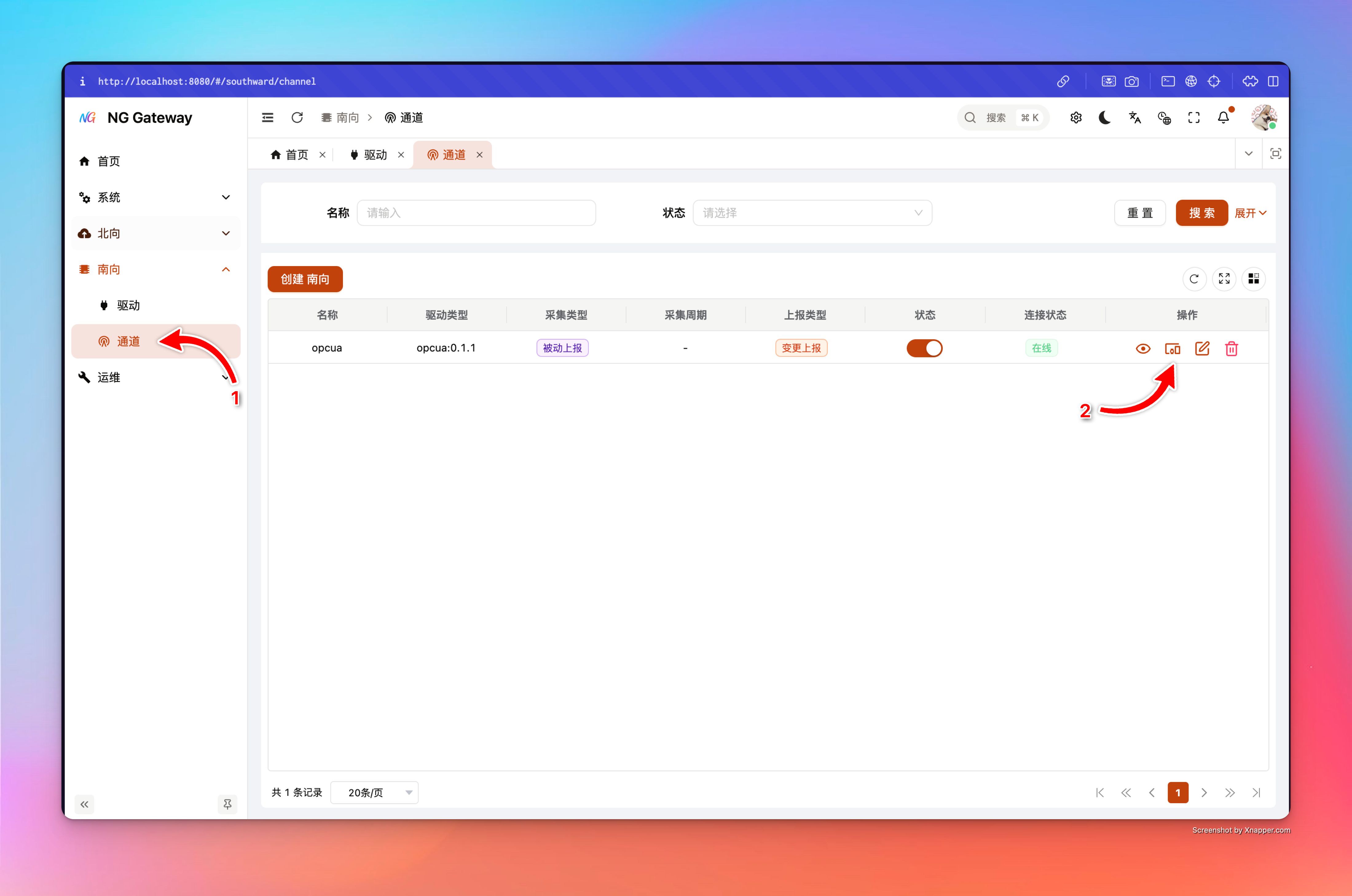
Device(归属 Channel)
Device + Points(归属 Channel)
Point(归属 Device)
Action(归属 Device)
常见问题
1) 为什么我自己建了个 Excel,导入总是失败?
导入会强依赖模板里的 __meta__(driver_type/entity/locale/schema_version)与表头匹配。请始终从网关下载模板再填写。
2) 同一个动作为什么要“多行”?
Action 的 Excel 模板是一行一个参数;系统会按 (动作名称, 命令) 聚合多行参数为一个动作(适合把多个现场写入点位封装为一个“业务动作”)。